📌 Key Takeaways
- •[A-S1] NVM Express, "Changes in NVM Express Revision 2.0" — https://nvmexpress.org/changes-in-nvm-express-revision-2-0/
- •[A-S2] NVM Express, "Everything You Need to Know About the NVMe 2.0 Specifications and New Technical Proposals" — https://nvmexpress.org/everything-you-need-to-know-about-the-nvme-2-0-specifications-and-new-technical-proposals/
- •[A-S3] arXiv, "Device-Level Optimization Techniques for Solid-State Drives: A Survey" — https://arxiv.org/html/2507.10573v2
- •[A-S4] Borecraft, "SSD Basics – NewMaxx" — https://borecraft.com/basics/
- •[A-S5] TheCoreiTech, "How SSDs Work: NAND Flash, Controllers & Wear Leveling" — https://www.thecoreitech.com/computer-hardware/how-ssds-work/
# SSD Controller Failure in Hong Kong: Diagnosis, Recovery Limits and Repair Decisions
# SSD Controller Failure in Hong Kong: Diagnosis, Recovery Limits and Repair Decisions
# SSD Controller Failure in Hong Kong: Diagnosis, Recovery Limits and Repair Decisions
1. The 30-Second Verdict: What Sudden SSD Controller Death Is
A solid-state drive has no moving parts, and that fact creates a false sense of security. Many laptop owners assume that a drive with nothing to spin, nothing to wear out mechanically, and nothing to click or grind cannot die without warning. The reality is the opposite. The most dangerous failure in a modern laptop SSD is not the slow wearing out of the memory cells that hold your files. It is the sudden failure of the small computer that manages those cells: the controller, its firmware, and the mapping table that tells the controller where every file lives [A-S32][B-S1][B-S4].
When the controller dies, the drive can vanish in a single restart. Yesterday the laptop worked normally. Today the machine reports no bootable device, the BIOS shows no drive at all, or the drive appears under a strange factory name with no usable capacity. The files may still be sitting intact inside the NAND memory chips, untouched and uncorrupted, but without a working controller there is no path to reach them. The controller is the only part of the drive that knows where anything is stored, and when it stops working, the data becomes unreachable even though it has not been erased [B-S1][B-S4][B-S6].
Three facts that frame everything else in this guide
First, a dead controller does not mean dead NAND. The NAND flash memory that stores your data is a separate component from the controller that manages it. A controller can fail electrically, through a shorted power-management chip or a burnt voltage regulator, or it can fail logically, through corrupted firmware or a damaged mapping table, while the NAND itself remains physically sound [A-S32][B-S4]. This distinction matters because it decides whether the data can still be recovered and which kind of professional help is needed. A drive whose NAND is worn out is a different problem from a drive whose controller has stopped answering, and the two problems have different remedies [A-S36][B-S6].
Second, the symptoms of controller death are specific and recognisable, and they are different from the symptoms of a failing hard disk or a corrupted Windows installation. Data recovery specialists describe the pattern clearly: a drive with a logical fault, such as a damaged file system, is still detected at its correct capacity, while a drive with a physical or firmware fault is not detected at all, reports zero capacity, reports a smaller diagnostic capacity, or reports a factory string such as SATAFIRM S11 [A-S32][A-S33]. If the BIOS or UEFI firmware cannot see the drive before any operating system has loaded, no software running inside Windows can reach it either, because there is no drive for the software to address [A-S33][B-S1].
Third, controller failure is often completely without warning. The health numbers that a drive reports about itself come from the controller firmware, and when the controller itself is the part that fails, those numbers can look perfect the day before the failure. A drive can report low wear, zero media errors, and a clean health status, and then fail the next morning because a power rail shorted, a firmware routine panicked, or a mapping table was damaged during an unsafe shutdown [A-S13][B-S23].
What this guide covers, and what it deliberately leaves out
This guide focuses on permanent controller-level failure: the drive is gone from the BIOS, reports the wrong model or zero capacity, locks itself read-only, or falls into a factory recovery mode after a firmware panic. Two neighbouring topics are covered only where they are needed to tell them apart from permanent failure. Intermittent disappearance, where the drive vanishes and then comes back after a restart or a reseat, is a different fault with different causes, usually connected to contact, power, or heat. Overheating that slows the drive down is also different: throttling is a reversible protection measure, while the permanent failure described here does not reverse when the drive cools down [A-S32][B-S40].
The symptoms at a glance
| What you see | What it most likely means | First action |
|---|---|---|
| BIOS shows no drive at all | Controller never enumerated: electrical failure, power rail short, or link training failure [A-S32][A-S33] | Do not reinstall Windows; check the drive in a second machine before deciding anything [A-S34] |
BIOS shows SATAFIRM S11 | Phison PS3111-S11 controller has fallen into ROM mode after firmware failure [A-S32][A-S37] | Do not format, do not run mass-production tools; seek professional firmware-level help [B-S2][B-S3] |
| BIOS shows 0 MB or a wrong small capacity | Controller is alive but its firmware or mapping table has failed [A-S36][A-S37] | Stop powering the drive on and off; every power cycle can trigger cleanup that destroys recoverable data [A-S33] |
| Drive is visible but read-only | Controller has locked writes to protect readable data, usually after spare blocks ran out [A-S12][B-S20] | Copy files out immediately in read-only fashion; do not write anything to the drive [B-S6] |
| Drive is visible but extremely slow, freezing, or returning errors | NAND error rate is approaching the correction limit and the controller is retrying reads [A-S12][B-S40] | Image the drive once, if it is still readable, and do not run repeated repair scans [B-S6] |
| Health numbers were perfect yesterday | Controller death is not predicted by wear counters [A-S13][B-S23] | Treat backups as the defence, not health readings [B-S41] |
Where to get help in Hong Kong
If a laptop SSD has failed in one of the ways described in this guide and the data matters, the correct first step is to stop using the drive and seek a professional assessment. All SSD-related charges are subject to a written quotation after inspection. The shop details are: Room 1209, Dalton Plaza, Shek Mun, Shatin; phone +852 2186 8010; WhatsApp +852 6558 6806; hours 12:00–19:00. When you call or message, describe exactly what the BIOS shows, whether the drive reports a model name or a capacity, and whether you have already tried restarting the machine several times, because that information decides how the case is handled. For unrelated repairs, the confirmed starting prices are: battery from HK$580, screen from HK$1,280, chip-level motherboard repair from HK$880, and keyboard from HK$480.
2. SSD Architecture in Four Layers: Controller, DRAM, NAND, FTL and Firmware
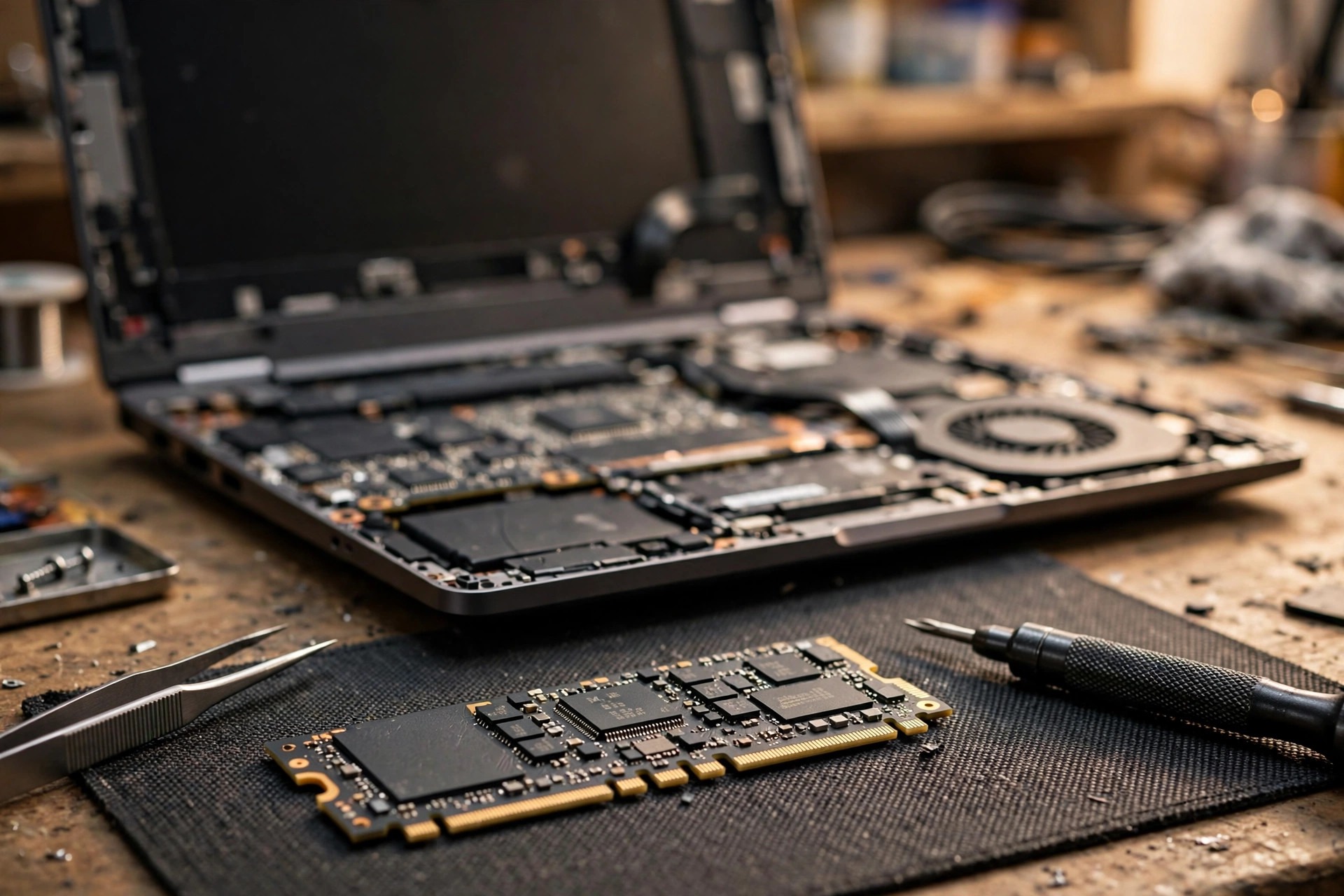
An SSD looks simple from the outside. It is a small circuit board, usually in the M.2 2280 form factor in a modern laptop, with a handful of chips on it and a connector at one end. Inside, it is a complete computing system in miniature, and understanding sudden controller death means understanding which part of that system has failed. The drive is generally described as having four parts: a host interface, a controller that runs the firmware, a DRAM cache, and a NAND flash array [A-S7][B-S7]. A second survey of SSD architecture describes the same structure as NAND organisation, controller functions covering address mapping, garbage collection and wear levelling, and the host interface protocol [A-S3].
The four layers and what each one does
| Layer | Job | What happens when it fails |
|---|---|---|
| Host interface (SATA or PCIe with NVMe) | Talks to the laptop: receives commands, transfers data [A-S7] | Link training fails and the BIOS sees nothing at all [A-S34] |
| Controller (a dedicated system-on-chip) | Runs the firmware: mapping, error correction, wear levelling, garbage collection, encryption, power management [A-S4][B-S7] | Dies and the drive is not detected, reports zero capacity, or reports a factory string; firmware panic drops it into ROM mode [A-S32][A-S37] |
| DRAM (or host memory buffer on DRAM-less drives) | Holds the mapping table and buffers write data [A-S4][B-S15] | A mapping table that has not been written back to NAND is lost when power is cut [A-S18][A-S20] |
| NAND array (die, plane, block, page) | Actually stores the charge that represents your data [A-S7] | Wear, bad blocks, and read errors beyond the correction limit produce media errors and read-only lockout [A-S8][A-S12] |
| Power delivery (power-management chip, regulators, capacitors) | Converts the 3.3 V from the slot into the separate voltages the controller and NAND need [B-S26][B-S27] | A shorted power-management chip or regulator cuts power to the controller and the drive never enumerates [A-S32][A-S40] |
| Firmware and service area (reserved NAND) | Holds the controller startup firmware modules, mapping-table backups, and health logs [A-S37] | A damaged service area fails verification at startup and the controller falls into ROM or safe mode [A-S36][A-S37] |
The controller is not an ordinary processor
The controller is a dedicated microcontroller or application-specific chip that manages the flash memory and handles communication with the host [A-S4]. Most controllers are built on the ARM architecture, commonly using Cortex-R5 or Cortex-R8 variants that are optimised for real-time, low-latency work [A-S4]. Beyond the processor cores, a controller contains buffers, registers, and error-correction and defect-management logic that operates across SRAM, DRAM, and NAND [A-S4]. In practical terms, the controller is a complete real-time computer whose only job is running the drive. When it crashes, the effect is the same as a computer crashing, except that the crash locks away every file on the drive at the same time [A-S4][B-S7].
The scale of the hardware is easy to underestimate. The Phison E26, model PS5026-E26, is a PCIe 5.0 by four-lane controller with NVMe 2.0 support, built on a 12-nanometre process, with two ARM Cortex-R5 cores plus three proprietary co-processors, eight NAND channels, 32 chip-enable lines, transfer rates up to 2,400 megatransfers per second, support for DDR4 and LPDDR4 memory, and fifth-generation LDPC error correction [A-S21][A-S22]. The previous flagship, the Phison E18 or PS5018-E18, is a PCIe 4.0 by four-lane controller with NVMe 1.4 support, built on the same 12-nanometre process, with three ARM Cortex-R5 cores, eight channels, 1,600 megatransfers per second, and fourth-generation LDPC error correction [A-S23]. These are not simple bridge chips. They are complex processors, and their complexity is itself a source of failure modes, because every function they perform is firmware that can contain a bug [A-S4][B-S30].
NAND: written by the page, erased by the block
NAND flash is written in units called pages and erased in units called blocks, and a block is far larger than a page [A-S7]. Pages are roughly 4 to 16 kilobytes in size, and a block contains hundreds to thousands of pages [A-S7]. A page that has already been written cannot be rewritten directly; the whole block must be erased first [A-S7][A-S5]. This asymmetry, writing by the page and erasing by the block, is the root of almost every design problem in an SSD: garbage collection, wear levelling, and write amplification all exist because of it [A-S7].
NAND is organised in a hierarchy of die, plane, block, and page [A-S7]. The controller splits a large write into smaller pieces and spreads them across multiple channels, dies, and planes in parallel, which is how the drive reaches multi-gigabyte-per-second bandwidth [A-S7]. Storage density is described by how many bits each memory cell holds: SLC stores one bit per cell, MLC stores two, TLC stores three, and QLC stores four, and each additional bit doubles the number of voltage states the cell must distinguish, from two states for SLC to eight for TLC and sixteen for QLC [A-S8][A-S6]. Modern NAND is stacked in three dimensions, with layer counts ranging from 128 layers to more than 300 layers [A-S5].
DRAM and the mapping table
The main job of the DRAM on an SSD is to hold the mapping table, the data structure that translates logical block addresses, the addresses the operating system sees, into physical block addresses, the actual locations in the flash memory [A-S4]. The flash translation layer needs to consult and update this table constantly, and reading it from NAND would be far too slow, so it must live in DRAM [A-S4]. The rule of thumb is that about one byte of mapping data is needed for every kilobyte of stored data, which means roughly one gigabyte of DRAM for every terabyte of capacity [A-S4][A-S7]. DRAM-less designs replace the onboard DRAM with a host memory buffer, borrowing a small part of the system memory for the same purpose [A-S5]. The Silicon Motion SM2259XT2 is one such DRAM-less controller: a SATA 6 gigabits-per-second design with two NAND channels, no DRAM, and LDPC error correction [A-S29].
The danger of DRAM is that it is volatile memory, and it loses everything when power is cut. The data held in SDRAM consists mainly of user data and the mapping table, and without power-loss protection, the NAND will only contain the last mapping table that was written back before the power failed, so the most recent data is lost [A-S20]. A Samsung white paper makes the same point from the other side: NAND itself is non-volatile and survives a power cut, but data that has not yet reached the NAND is vulnerable and can be damaged when power is lost [A-S18]. This is the mechanism behind many sudden-death cases, and it is examined in detail in Chapter 8.
3. Controller Families at a Glance: Phison, Silicon Motion, Marvell, Samsung, SK hynix
One of the most common misunderstandings about SSDs is that the brand printed on the label is the company that made the controller. It usually is not. The controller model and the SSD brand are two different things: one brand can use different controllers in different models, and one controller can appear in drives from several different brands [B-S2].
The three merchant families and the two in-house families
The laptop market is dominated by merchant controllers, which are sold to many drive brands, and by in-house controllers, which a manufacturer builds for its own drives only. Phison and Silicon Motion are the two largest merchant suppliers, and their controllers appear across a wide range of third-party and original-equipment drives. Marvell supplies controllers to a smaller set of brands and has a long history in enterprise storage. Samsung and SK hynix design their own controllers and use them only in their own drives, which means third-party recovery tools often have no firmware-level access to those controllers at all [B-S5][B-S39].
| Family | Verified models | Key characteristics |
|---|---|---|
| Phison | PS5012-E12: PCIe Gen3 by four lanes, NVMe 1.3, eight channels, 32 chip-enable lines, up to about 3,400 megabytes per second read and 3,100 write, LDPC, AES 256, TCG Opal [B-S30]; PS5018-E18: PCIe Gen4, 12-nanometre, three ARM Cortex-R5 cores plus two co-processors, eight channels, 1,600 megatransfers per second, up to about 7.4 gigabytes per second [A-S23][A-S49]; PS3111-S11: SATA, DRAM-less, the controller behind the SATAFIRM S11 event [B-S3] | Largest market share among third-party brands; mass-production tools have leaked into public circulation, which creates a high risk of misuse [B-S2][B-S3] |
| Silicon Motion | SM2262 and SM2262EN: PCIe Gen3 by four lanes, NVMe 1.3, eight channels, with DRAM, read speeds up to about 3,200 (SM2262) and 3,500 (EN) megabytes per second, writes up to about 3,000 [B-S32]; SM2264: PCIe Gen4 by four lanes, NVMe 1.4, four-core ARM Cortex-R8, eight channels at 1,600 megatransfers per second, up to about 7,500 megabytes per second read and 7,000 write, NANDXtend LDPC [B-S31]; SM2258XT, SM2259XT, SM2260: SATA and NVMe entry-level designs with many ROM-mode sudden-death cases [B-S2] | Common in factory-installed laptop drives; ROM mode and safe mode have clear, documented signatures [B-S2] |
| Marvell | 88SS1093: three-core ARM Cortex-R5 up to 500 megahertz, PCIe Gen3 by four lanes, eight NAND channels, third-generation NANDEdge LDPC [A-S30]; 88SS1074: SATA, fifth-generation design [A-S36] | Enterprise heritage; professional tools enter diagnostic mode through manufacturer-specific commands [A-S36] |
| Samsung (in-house) | Elpis in the 980 Pro, and the 990 Pro self-developed controller, whose model numbers were not individually verified in this research | Used only in Samsung drives; third-party firmware tools have no corresponding technical mode, so recovery depends on board-level repair that revives the original controller [B-S5][B-S39] |
| SK hynix (in-house) | Aries, model ACNS075, in the Platinum P41: eight channels, with 176-layer TLC NAND and LPDDR4 DRAM [A-S31] | AES-256 hardware encryption and mapping are bound to the specific controller chip [A-S40] |
| Others | Innogrit, Maxio, and others; the Maxio MAP1602 pairs with YMTC 232-layer TLC at 2,400 megatransfers per second [A-S35] | Appear in some brands and original-equipment drives; individual models were not all verified in this research, so no fault should be attributed to an unverified model [B-S2] |
Phison: the most common controller in third-party drives
Phison controllers appear in more third-party laptop SSDs than any other family, which is why Phison failure modes are the most widely documented. The PS5012-E12 is a PCIe Gen3 controller with eight channels and 32 chip-enable lines, rated at up to about 3,400 megabytes per second read and 3,100 write, with LDPC error correction, AES 256 encryption, and TCG Opal support [B-S30]. The PS5018-E18 moved the family to PCIe Gen4, with a 12-nanometre process, three ARM Cortex-R5 cores plus two co-processors, eight channels, 1,600 megatransfers per second NAND, and speeds up to about 7.4 gigabytes per second [A-S23][A-S49]. The flagship PS5026-E26 moved to PCIe 5.0 by four lanes with NVMe 2.0 support, two ARM Cortex-R5 cores plus three proprietary co-processors, eight channels, 32 chip-enable lines, transfer rates up to 2,400 megatransfers per second, and fifth-generation LDPC error correction with RAID ECC [A-S21][A-S22].
The PS3111-S11, a SATA DRAM-less controller, is the model behind the most famous Phison failure signature, the SATAFIRM S11 factory string, which is examined in Chapter 6 [A-S32][A-S37].
Silicon Motion: the factory-installed workhorse
Silicon Motion controllers are common in the SSDs that laptop manufacturers install at the factory, which means many laptop owners have a Silicon Motion controller without ever having chosen one. The SM2262 and SM2262EN are PCIe Gen3 by four-lane controllers with NVMe 1.3 support, eight channels, onboard DRAM, and read speeds up to about 3,200 megabytes per second for the SM2262 and 3,500 for the EN, with writes up to about 3,000 megabytes per second [B-S32]. At the entry level, the SM2258XT, SM2259XT, and SM2260 are SATA and NVMe designs with many documented ROM-mode sudden-death cases [B-S2].
The Silicon Motion failure signature is distinct from the Phison signature. Where a failed Phison controller reports a factory string, a failed Silicon Motion controller often completes the SATA handshake and then holds the ATA busy bit indefinitely, never responding to further commands [A-S32]. The drive appears present to the host but never becomes ready, and the host waits forever.
Samsung and SK hynix: in-house controllers with no third-party firmware path
Samsung and SK hynix design their own controllers and use them only in their own drives. The Samsung 990 Pro uses an in-house controller paired with 176-layer TLC NAND and LPDDR4 DRAM, and an early firmware version caused the health reading to fall far faster than the actual NAND wear [A-S27]. The SK hynix Platinum P41 uses the in-house Aries controller, model ACNS075, with eight channels, 176-layer TLC NAND, LPDDR4 DRAM, and AES-256 hardware encryption [A-S31].
The practical consequence of an in-house controller is that professional recovery tools often have no firmware-level access to it. Samsung controllers have no corresponding technical mode in third-party tools, so recovery depends on board-level repair that revives the original controller [B-S5][B-S39]. SK hynix self-developed controllers have the same limitation: commercial firmware tools lack diagnostic-mode access to them, and the recovery path is electrical board-level repair that rules out power faults and revives the original controller [A-S40]. In both cases, the encryption and the mapping table are bound to that specific controller chip, so replacing the controller cannot recover the data [A-S40][B-S37].
Why the controller family decides the recovery path
Every controller family needs a different professional recovery tool module, a different method of entering diagnostic mode, and a different mapping-table reconstruction algorithm [A-S36]. Identifying the wrong controller family means using the wrong recovery method, and on an encrypted NVMe drive, that mistake can make the data permanently unrecoverable [A-S35]. Support lists change with each tool version, so the correct question to ask a repair provider is which tool they use and whether it supports your exact controller, not whether the tool is well known in general [A-S35][B-S39].
4. Seven Ways a Controller Dies
Controller death is not one event. It is seven different failure mechanisms that share a single outward result: the drive stops working, and the data becomes unreachable. The mechanisms differ in where they happen, whether they can be reversed, what causes them, and what the drive looks like afterwards.
| Mechanism | Where it happens | Reversible? | Main drivers | Typical presentation |
|---|---|---|---|---|
| Power short (power-management chip, regulator, capacitor) | Drive power-delivery layer | Not reversible without board-level repair | Unstable power, electrostatic discharge, moisture, ageing [A-S32] | BIOS sees nothing at all [A-S32] |
| Firmware panic and ROM mode | Controller plus NAND service area | Conditionally reversible with professional loader injection and mapping-table reconstruction [A-S36][A-S37] | Power loss, service-area degradation, firmware bug | SATAFIRM S11, zero capacity, or busy bit held [A-S32][A-S37] |
| Mapping-table corruption | DRAM mapping table or NAND backup table | Conditionally reversible with mapping-table reconstruction [A-S36] | Power loss during writes, interrupted garbage collection | Correct model shown but data unreadable, or wrong capacity [A-S36] |
| NAND wear and spare exhaustion | NAND array | Not reversible | Program and erase cycles, write amplification, high temperature [A-S12] | Media errors rising, read-only mode, spare capacity below threshold [A-S12] |
| Firmware bug (specific combination) | Controller firmware | Reversible with a manufacturer firmware update, if applied before the drive dies [A-S26][A-S27][A-S40] | Controller plus specific NAND combination | Performance degradation, health misreporting [A-S26][A-S27] |
| Sudden power-loss damage | DRAM to NAND write-back path | Depends on which layer was damaged | Forced shutdown, exhausted battery, power cut [A-S40] | Unsafe shutdown count rising, mapping-table inconsistency [A-S40] |
| Heat damage | Controller chip or NAND | Not reversible | Sustained high temperature, poor cooling | Sudden disappearance that does not reverse when the drive cools [A-S32] |
| Encryption bound to the controller | Controller key material | Controller death is irreversible unless the original controller is repaired [A-S35] | Electrical death of the controller | Removing the NAND yields only ciphertext [A-S35] |
Power failure: the cleanest death
The most abrupt way for a controller to die is electrical. When the controller suffers a severe electrical fault, such as a dead power-management chip, a shorted regulator, or a shorted decoupling capacitor cutting power to the controller, the drive has no power at all and will not enumerate on the SATA or PCIe bus [A-S32]. There is no software symptom to read, because there is no endpoint for software to address: the BIOS cannot see the drive, the device manager cannot see it, and disk management cannot see it [A-S32]. The SK hynix fault classification also lists power-management-chip short circuits and regulator death as a category of controller failure [A-S40].
The triggers include a poor-quality or wrong-wattage charger supplying unstable power, a fault in the laptop motherboard power supply, electrostatic discharge, moisture causing a short, and long-term high temperature ageing the capacitors. This kind of failure is a board-level problem, and replacing the drive with a new one solves the laptop. Recovering the data from the old drive is a different matter: it needs board-level micro-soldering to repair the power supply of the original controller, because the encryption and the mapping table are bound to that controller, and swapping in a different controller will not work [A-S32][A-S35].
Firmware bugs: one wrong table and the whole drive is lost
A firmware bug is the most unfair category of controller failure, because the hardware is completely undamaged and the firmware simply miscalculates, damaging the mapping table or panicking the controller. ### Mapping-table corruption: the map is ruined, the data is still there
Mapping-table corruption is a subcategory of firmware failure that deserves its own discussion, because its recovery logic is completely different. Firmware damage can happen when power is lost in the middle of a write [A-S36]. When the controller powers on and cannot verify the firmware modules from NAND, it falls into ROM mode [A-S37]. The professional recovery method is not to repair the drive, but to inject a working firmware loader into the controller volatile memory, bypassing the damaged firmware, and then rebuild the mapping table from the backup metadata in the NAND spare area [A-S36]. The rebuild does not write to the user data area [A-S36].
Sudden power loss: the most common and most underestimated killer
Sudden power loss damages a drive in three layers. First, user data and the mapping table held in DRAM have not been written back to NAND, and they are lost when power is cut [A-S20]. Second, the mapping table update was written only halfway, so the old table and the new table disagree, and the controller fails verification on the next startup [A-S32][A-S40]. The SK hynix Gold P31 case shows this exactly: an unexpected power cut during a firmware table update left the mapping table inconsistent, and the controller refused to initialise on the next power-on, so the BIOS could not detect the drive [A-S40]. Third, garbage collection was interrupted in the middle of moving pages and erasing blocks, leaving blocks in a half-erased state and damaging the mapping table [A-S37].
The NVMe specification has a dedicated counter for this event, called Unsafe Shutdowns, which was renamed Unexpected Power Losses in the specification from 2024 onwards [A-S12]. It is a cumulative count, not a diagnosis by itself, but on a consumer drive without power-loss protection, a rapidly rising count combined with media errors is a high-risk combination [A-S12]. The laptop context makes this worse than on a desktop: sudden power loss is not only a mains power cut, but also a battery running flat and shutting the machine down, holding the power button to force a shutdown, a blue screen crash, or unstable power during sleep and wake. Holding the power button to switch a laptop off feels like a harmless everyday action, but for an SSD every forced shutdown is a gamble [A-S40][B-S6].
NAND wear: the controller gives up when the spare pool runs out
NAND wear does not usually kill the controller directly, but it can leave the controller unable to save the drive. Every type of NAND has a program and erase cycle life. The typical ranges cited in the sources differ by NAND type: SLC is about 50,000 to 100,000 cycles, MLC is about 3,000 to 10,000, TLC is about 1,000 to 3,000, and QLC is about 300 to 1,500 cycles, with the published range varying by maker and process [A-S5][A-S8]. These are typical ranges cited in the sources, not guaranteed figures for any specific model, and the JEDEC JESD218 standard notes that a program and erase rating is a qualification figure, not a physical constant, because it depends on the controller error-correction capability, the assumed temperature, and the retention requirement [A-S8].
5. Firmware Bugs on Record: Samsung 990 Pro and Other Verified Cases
Firmware bugs deserve a chapter of their own, because they are the category of controller failure where the hardware is healthy, the NAND is healthy, and the drive is still ruined by a calculation error. Three cases have been verified through manufacturer follow-up and multiple independent sources, and each one teaches a different lesson about how firmware can fail, how it can be fixed, and what it cannot undo.
| Case | Drive and firmware | What happened | Fix and limits |
|---|---|---|---|
| Samsung 990 Pro | Early firmware, fixed in 1B2QJXD7, released 13 February 2023 [B-S18] | Health reading fell far faster than actual NAND wear; one reported case showed a 2-terabyte drive falling to 64 percent health after only 2 terabytes written, against a rated 1,200 terabytes written [B-S18] | Firmware update stops further false wear; the health value does not return to its factory value [B-S18] |
| Samsung 980 Pro 2TB | Firmware 3B2QGXA7, fixed in 5B2QGXA7; firmware 4B2QGXA7 reported unaffected [B-S18][B-S20] | Firmware defect made the NAND wear calculation wrong, health fell rapidly, and some drives locked into read-only mode so the system could not start [B-S18][B-S20] | Fix firmware stops the problem continuing but cannot reverse health already lost; a drive already locked cannot be saved by updating [B-S18][B-S20] |
| Phison E18 plus Micron B47R NAND | Drives with E18 paired with Micron 176-layer NAND [A-S26] | Read performance of old files degraded over time [A-S26] | Manufacturer firmware updates fixed it; MSI released an update tool for the M480 Pro targeting firmware EIFM21.1, EIFM31.6, or older [A-S26] |
| SK hynix Platinum P41 | Aries controller firmware, fixed by later update [A-S40] | Write speed permanently regressed from a rated 6,500 megabytes per second to a range of 1,000 to 2,000 megabytes per second [A-S40] | Firmware update fixed the cache algorithm; a separate case saw firmware context lost during a power-state transition, reporting zero capacity on wake [A-S40] |
The Samsung 990 Pro: health that fell faster than the NAND wore out
The early firmware on the Samsung 990 Pro caused the health value reported by the drive to fall far faster than the actual NAND wear [A-S27]. Samsung fixed the problem with a firmware update, and drives produced after early 2023 shipped with the corrected firmware [A-S27]. Samsung released the corrected firmware, version 1B2QJXD7, on 13 February 2023, and stated that the health value would not return to its factory value [B-S18][B-S19].
The Samsung 980 Pro: a defect that could lock the drive read-only
The Samsung 980 Pro case is more serious, because it could end in a drive that no longer boots. Firmware 3B2QGXA7 contained a defect that made the NAND wear calculation wrong, so the health reading fell rapidly, and some drives eventually locked into read-only mode, leaving the system unable to start [B-S18][B-S20]. Samsung confirmed the problem and released corrected firmware 5B2QGXA7, and firmware 4B2QGXA7 was reported as unaffected [B-S18][B-S20].
The Phison E18 and Micron B47R: a bug that needed a specific combination
The Phison E18 case shows that a firmware bug can require a specific combination of controller and NAND before it appears. Drives using the E18 controller paired with Micron 176-layer NAND, known as B47R, suffered a read-performance regression on old files over time. Several manufacturers, including Kingston and Crucial, later released firmware updates to fix it, and MSI released an update tool for the M480 Pro targeting drives with firmware EIFM21.1, EIFM31.6, or older [A-S26]. The same E18 controller paired with Kioxia BiCS5 NAND was not affected, which proves the point: the bug was a property of the controller plus a specific NAND combination, not a property of the E18 in general [A-S26]. Writing that every E18 drive has the problem would be wrong, and buying decisions based on that claim would be wrong too.
The SK hynix Platinum P41: write speed that never recovered on its own
The SK hynix Platinum P41 suffered a firmware bug that permanently regressed write speed from its rated 6,500 megabytes per second down to a range of 1,000 to 2,000 megabytes per second, and SK hynix later released a firmware update that fixed the cache algorithm [A-S40].
The August 2025 Windows update story: a rumour that must be told carefully
In August 2025, reports circulated that the Windows 11 updates KB5063878 and KB5062660 caused Phison-controller SSDs to become unrecognisable after large continuous file transfers of more than 50 gigabytes [A-S24]. The story spread from a single social media post through technology commentators until it was treated as established fact. The evidence does not support that version of events, and this guide must say so plainly, because repeating the rumour as fact would mislead readers into blaming the wrong cause and refusing updates they need.
Phison issued a statement saying that after more than 2,200 test cycles and more than 4,500 hours of testing, it could not reproduce the reported problem, and that no partner or customer had reported being affected at that time [A-S25][B-S29]. Microsoft also stated that after a thorough investigation, it found no connection between the August security update and the type of drive failure reported on social media [A-S25]. A later community investigation found that the drives that failed in laboratory testing were running engineering or pre-release firmware, not retail firmware, and Phison engineers confirmed after verification that only non-production firmware showed the crash mode, while retail firmware did not behave that way [A-S25].
Three questions should be asked of any similar claim before it is treated as fact: has the manufacturer reproduced it, was the failing drive running retail firmware, and is there a serial-number range or an official notice [A-S25].
Firmware updates: medicine and poison in the same bottle
Firmware is the low-level program the controller executes, and it is not a Windows driver. A broken driver can be uninstalled or rolled back; firmware written halfway through a power cut, or the wrong version written to the wrong drive, can leave the controller unable to complete even its startup handshake, turning the whole drive into a brick [B-S28]. Manufacturer tools from Samsung, Crucial, and WD all require the same precautions: back up first, do not interrupt power during the update, and do not use firmware for the wrong model [B-S48]. One widely cited piece of advice puts it directly: if the drive is working normally, has no known serious bug, and the update notes contain no fix you need, the risk avoided by not updating may be greater than the benefit of updating [B-S28].
6. FTL Mapping-Table Corruption and ROM Mode (SATAFIRM S11)
The flash translation layer is the map, and the map is the most fragile part of the drive. The FTL is the software layer between the host logical address and the flash physical address, hiding the physical limits of NAND, which cannot be overwritten in place and has a finite life, so that the operating system sees an interface that behaves like an ordinary hard disk [A-S7]. Its most basic function is mapping: translating the host logical address into a flash physical address [A-S7].
What the mapping table is and where it lives
The mapping table exists in three places, depending on the design. On a drive with DRAM, the whole table or its most-used part lives in DRAM, because it is fast, but DRAM is volatile and loses everything when power is cut, so the controller must periodically write a snapshot of the table back into a reserved area of the NAND, known as the service area [B-S1][B-S2]. The service area also holds the bad-block table and the wear-levelling metadata, and if that area is damaged, the controller cannot load its firmware at startup and falls into safe mode or stops responding entirely [B-S1]. On a DRAM-less NVMe drive, the mapping table is cached in a host memory buffer, a small part of the system memory, typically about 64 megabytes and sometimes only 40 megabytes, while the complete table remains in NAND. The host memory buffer is a feature introduced in NVMe 1.2 [B-S15][B-S16].
The core functions of the FTL are address mapping, garbage collection, wear levelling, error correction, and bad-block management [A-S3]. A survey of SSD firmware describes the FTL as the core firmware algorithm, responsible for performance, reliability, and endurance [A-S3]. Without it, raw NAND cannot be used as a disk at all [A-S6].
Need a laptop repair expert?
Free diagnosis · Transparent pricing · No fix, no fee · 180-day warranty
Three faces of mapping-table damage
| Face | What the owner sees | Mechanism |
|---|---|---|
| ROM mode, common on Silicon Motion SM2258XT, SM2259XT, and SM2260 [B-S2] | Yesterday normal, today zero megabytes, and the model name changes to the original Silicon Motion description string instead of the retail brand such as Kingston, ADATA, or Crucial; a SATA drive holds the busy bit [B-S2] | Controller cannot verify its own firmware, falls into a read-only bootloader, and has no usable mapping table, so it reports a nominal capacity and the raw chip description [B-S2] |
| SATAFIRM S11, Phison PS3111-S11 [B-S3] | Model shows SATAFIRM S11, firmware shows SBFM21W1, and a raw read returns 120 gigabytes of zeros with no partition table and no file system; a health tool can make the boot hang [B-S3] | A firmware startup scan finds a bad page in the system area and sets a status bit, changing the identify response to report a false model; SATAFIRM S11 is not a single fault and has at least four causes [B-S3] |
| Read-only lock [B-S20] | Drive is detected and readable, but every write is refused; a boot drive in read-only mode means the system cannot start [B-S20] | Controller detects NAND bad blocks or spare exhaustion and actively locks writes to protect readable data; the Samsung 980 Pro firmware 3B2QGXA7 event behaved this way [B-S20] |
SATAFIRM S11: the textbook case
The Phison PS3111-S11 is the textbook example of a controller falling into ROM mode. When the mapping table is damaged, the controller abandons its normal startup and reports SATAFIRM S11 with zero bytes or a small diagnostic capacity [A-S32]. The full firmware, including the FTL, the garbage collector, the wear leveller, and the health processor, is stored in a reserved service area on the NAND [A-S37]. At power-on, the controller first runs its built-in ROM bootloader, then loads the firmware modules from the NAND service area, and if verification fails, it gives up on normal startup and falls into ROM mode [A-S37]. The PS3111-S11 has no AES encryption, but it applies a deterministic XOR scrambling to NAND writes to avoid repeated bit patterns accelerating cell wear [A-S37]. Note that XOR recovery depends on the controller and the read path and does not apply in every case [B-S3]. Note that XOR recovery depends on the controller and the read path and does not apply in every case [B-S3].
A detailed technical account of the fault describes how a firmware startup scan finds one bad page in the system area and sets a status bit, which changes the identify response to report the false model, and notes that SATAFIRM S11 is not a single fault: it has at least four causes [B-S3].
How professional recovery rebuilds the map
The professional recovery process for a mapping-table failure does not repair the drive. It injects a working firmware loader into the controller volatile memory, bypassing the damaged firmware, and then rebuilds the mapping table from the backup metadata in the NAND spare area [A-S36]. The rebuild does not write to the user data area [A-S36].
The Silicon Motion process follows a similar pattern in five stages: forced entry into ROM safe mode by shorting pins, a controller-matched loader pushed into memory, mapping-table reconstruction from NAND spare-area metadata, and imaging [A-S38]. The Marvell 88SS1074 uses professional Marvell tools that enter diagnostic mode through manufacturer-specific commands [A-S36]. Support depends on the controller: every controller family needs a different professional tool module, a different diagnostic-mode entry method, and a different mapping-table reconstruction algorithm [A-S36]. Identifying the wrong controller family means using the wrong recovery method, and on an encrypted NVMe drive, that error can make the data permanently unrecoverable [A-S35].
Why mass-production tools and initialisation are the two most dangerous buttons
The mass-production tool is a factory tool for initialising blank NAND. Pointed at a drive that still holds data, it rewrites the mapping table and permanently erases the service-area metadata, and the data depends on that metadata to be found at all [B-S2]. A PSID revert on a self-encrypting drive is a factory reset that destroys the media encryption key and returns the drive to its factory state, erasing the data rather than recovering it [B-S24]. Online forums frequently advise users to download the tool, select the correct flash identifier, and reinitialise the drive, and that advice works only in the sense that the drive becomes an empty drive, with the data permanently gone [B-S3]. The Windows "initialise disk" prompt is the same trap in a friendlier form: clicking initialise on a drive reporting the wrong capacity or zero megabytes tells the system to write a new partition table onto a drive whose mapping table is already broken, and the write itself can further damage the service area [B-S2].
7. NAND Wear, TBW, DWPD and JEDEC Endurance Standards
NAND wear is the slowest of the seven ways a controller dies, and it is also the most misunderstood. Owners tend to treat a drive like a battery with a fixed number of charges: once the rated number is reached, the drive dies. That picture is wrong in both directions. A drive can fail long before its rated endurance is used up, because the controller, the firmware, or the power supply can fail first.
Why NAND wears out
Every write and erase cycle, known as a program and erase cycle, traps a small amount of charge in the floating-gate oxide layer of a NAND cell. Over time, the accumulated charge makes it harder for the cell to distinguish a zero from a one, and the block is retired [B-S11]. Writing does not directly kill a cell. It raises the error rate slowly, until the LDPC error correction can no longer save the data [B-S11]. The process is irreversible, but its speed depends on how much is written, the pattern of the writes, the temperature, and the write amplification factor [B-S11].
Write amplification is the ratio of the bytes actually written to NAND divided by the bytes the host sent. A write amplification factor of three means the host wrote one gigabyte and the NAND actually wrote three gigabytes [B-S33]. Garbage collection chooses which blocks to reclaim and how much to move, and those choices decide how large the write amplification becomes [B-S33]. Over-provisioning, the practice of building more physical capacity into the drive than the logical capacity the host can see, gives the controller hidden space to use as a garbage-collection buffer, and that buffer lowers write amplification [B-S33].
SLC, MLC, TLC, QLC: more bits per cell, fewer cycles
| Type | Bits per cell | Voltage states | Typical program and erase cycles, literature range, varies by manufacturer and generation | Notes |
|---|---|---|---|---|
| SLC | 1 | 2 | About 50,000 to 100,000 [B-S12] | Mainly industrial and special-purpose use [B-S12] |
| MLC | 2 | 4 | About 3,000 to 10,000 [B-S12] | Older consumer and enterprise drives [B-S12] |
| TLC | 3 | 8 | About 1,000 to 3,000 [B-S11][B-S12] | The current consumer mainstream [B-S11][B-S12] |
| QLC | 4 | 16 | About 300 to 1,500 [B-S12] | Large capacity and read-heavy use; wears fastest under sustained write load [B-S12] |
TBW, DWPD, and the JEDEC JESD218 standard
Terabytes written, abbreviated TBW, is the total amount of data the manufacturer rates the drive to have written within its rated period. TBW is a rated boundary, not a death date. Exceeding TBW does not mean the drive dies immediately, but it does mean the drive is operating outside the rated range [B-S11]. Drive writes per day, abbreviated DWPD, is TBW divided by (the capacity multiplied by the number of days in the rated period). For example, a one-terabyte drive rated at 600 terabytes written over a five-year period has a DWPD of about 0.33, which means writing one third of the drive every day for five years to reach the limit [B-S11]. TBW can also be calculated as the capacity multiplied by the program and erase cycles divided by the write amplification factor, so if write amplification doubles, TBW halves [B-S11][B-S12].
The JEDEC JESD218 standard defines the test method and the qualification conditions for the TBW rating, and JESD219 defines the test workload. The current revision is JESD218C, dated May 2025 [B-S13]. The client requirements are: 40 degrees Celsius, eight hours of use per day, one year of data retention after a power cut at 30 degrees Celsius, a functional failure requirement of no more than 3 percent, and an unrecoverable bit error rate of no more than one per 10 to the power of 15 bits [B-S11][B-S13][B-S14]. The enterprise requirements are stricter: 55 degrees Celsius, 24 hours of use per day, three months of data retention after a power cut at 40 degrees Celsius, a functional failure requirement of no more than 3 percent, and an unrecoverable bit error rate of no more than one per 10 to the power of 16 bits [B-S13][B-S14].
| Requirement | Client class | Enterprise class |
|---|---|---|
| Temperature | 40 degrees Celsius [B-S13] | 55 degrees Celsius [B-S13] |
| Daily use | 8 hours [B-S13] | 24 hours [B-S13] |
| Data retention after power cut | 1 year at 30 degrees Celsius [B-S13] | 3 months at 40 degrees Celsius [B-S13] |
| Functional failure requirement | No more than 3 percent [B-S13] | No more than 3 percent [B-S13] |
| Unrecoverable bit error rate | No more than one per 10 to the power of 15 bits [B-S13] | No more than one per 10 to the power of 16 bits [B-S13] |
| Standard | JEDEC JESD218, current revision JESD218C dated May 2025, with JESD219 defining the test workload [B-S13][B-S14] | Same standard [B-S14] |
Who actually writes enough to reach the limit
Most everyday laptop owners write only a few gigabytes to a few tens of gigabytes per day, far below a DWPD of 0.33 [B-S11], and TBW is rarely the cause of death for them.
How wear ends: the read-only lock and the spare pool
The end state of wear is not usually a sudden disappearance. It is a controlled retreat. When the available spare capacity falls below its threshold and the bad-block pool is exhausted, the controller can switch the drive to read-only mode, where data can still be read but nothing can be written [A-S12][B-S20]. That is the controller protecting the data, and the correct response is to copy the files out immediately and stop writing to the drive [B-S6]. If the owner keeps trying to write and ignores the read-only warning, even reading can eventually fail.
8. Sudden Power-Loss Damage and Power-Loss Protection (PLP)
Sudden power loss is the most common and most underestimated killer of laptop SSDs, and it is also the one the owner has the most control over. A laptop is not a desktop. Its power can be cut by a mains failure, by a battery running flat, by holding the power button to force a shutdown, by a battery contact fault causing a momentary break, by a charger coming loose while an ageing battery cannot hold the load, or by a system crash during heavy work.
How a power cut kills a drive
A power cut does not burn the NAND. It strikes at three moments, and any one of them can cause irreversible damage [B-S1][B-S4][B-S6]. First, the write cache and the mapping-table snapshot still held in DRAM have not been written back to NAND, and they vanish when power is cut [A-S20]. Second, the controller was in the middle of updating the mapping table or the garbage-collection metadata, and the write stopped halfway, leaving the service area in an inconsistent state, so the next startup verification fails and the controller falls into ROM mode [B-S1][B-S4]. Third, a NAND page was being written halfway, leaving the page in an intermediate voltage state that reads back as bad data, which the error correction may not be able to save [B-S6].
The SK hynix Gold P31 case shows the second mechanism exactly. An unexpected power cut during a firmware table update left the mapping table inconsistent, and the controller refused to initialise on the next power-on, so the BIOS could not detect the drive [A-S40]. A separate P41 case shows a third trigger: during a power-state transition into the low-power PS3 or PS4 state, the drive lost its firmware context, and on wake it reported zero capacity or a wrong model string [A-S40]. That case is directly relevant to laptop owners who close the lid and walk away many times a day, because every sleep and wake cycle is a power-state transition [A-S40].
Power-loss protection: what it is, and who actually has it
| Design | How it works | Who has it |
|---|---|---|
| Tantalum polymer capacitor bank with voltage monitoring [A-S19][B-S9] | A sensitive voltage monitor detects the voltage falling and tells the controller to back up the whole buffer before the capacitor energy runs out [A-S19] | ADATA industrial power-loss protection uses this design [A-S19]; ADATA industrial ISSS333 uses tantalum polymer capacitors with a short-circuit protection mechanism [B-S9] |
| Tantalum capacitor backup power [A-S18] | The capacitor discharges to power the controller, DRAM, and NAND, flushing the entire DRAM contents into NAND [A-S18] | Samsung enterprise drives use tantalum capacitors as backup power [A-S18] |
| Power Shield with voltage detection [B-S8] | A voltage detection circuit watches the external voltage fall from 5 volts to 4 volts or from 3.3 volts to 2.7 volts, then triggers protection and stops accepting new write commands; it has no added capacitors and does not flush DRAM to NAND [B-S8] | Transcend Power Shield [B-S8] |
| Intelligent Power Shield [B-S8] | Polymer tantalum capacitors discharge to power the controller and flush DRAM contents into NAND [B-S8] | Transcend Intelligent Power Shield [B-S8] |
| Capacitor sized to the backup energy needed [B-S10] | Enterprise backup capacitor capacity is calculated from the energy needed to back up the DRAM to NAND [B-S10] | Enterprise drives [B-S10] |
| No protection | No capacitor bank; DRAM contents are lost on power cut [A-S20] | Most consumer laptop M.2 drives; the small M.2 2280 board has no room for a large enough capacitor array, and the cost does not allow it [B-S8] |
The 3.3-volt rail: the bottleneck of the M.2 slot
The M.2 slot supplies the SSD with 3.3 volts, plus 1.8 volts auxiliary, and each pin is rated at a maximum of 50 volts and 0.5 amperes, while the connector itself is rated for 60 insertion cycles [B-S26][B-S27]. The 3.3 volts is not used directly. The onboard power-management chip steps it down to the controller core voltage, usually around 1 volt, and the NAND input and output voltage [B-S26][B-S27]. Any rail that shorts, any power-management chip that burns out, or any decoupling capacitor that shorts will leave the controller with no power [B-S4]. Unstable power from the laptop motherboard, whether from an ageing battery, a faulty charger, or a motherboard power circuit fault, travels through the M.2 slot to the SSD. A dead SSD is sometimes a motherboard power fault that killed the drive, not a drive that failed on its own, and the diagnosis must check the motherboard as well [B-S26][B-S27].
Counting unsafe shutdowns
The SATA health attribute C0h, numbered 192, is the Unsafe Shutdown Count, the number of unexpected power cuts [B-S21]. The NVMe health log has an Unsafe Shutdowns field [B-S22][B-S23]. A fast-rising count means the owner frequently forces the machine off or suffers battery dropouts, and it is a measurable risk indicator. The number must be read with care: a high number does not mean the drive will die immediately, and a low number does not mean it cannot die, because power-loss damage is a matter of probability, not a linear relationship [B-S21][B-S22].
9. DRAM-less Designs and HMB Risk
A growing share of laptop SSDs has no DRAM chip on the board at all. These DRAM-less drives are cheaper to build, use less power, and are common in factory-installed laptop drives and in budget upgrades. They are not defective by design, and they are not doomed to fail. But they work differently from a drive with onboard DRAM, and the difference matters for performance, for power-loss behaviour, and for how the drive is diagnosed when it fails [B-S15][B-S16].
What the DRAM does on a drive that has it
On a drive with DRAM, the whole mapping table lives in DRAM, at roughly one gigabyte of DRAM for every terabyte of capacity [A-S4][B-S15]. Random reads and writes are fast, because looking up the table does not require a trip to NAND [B-S15]. The DRAM also acts as a write cache, absorbing bursts of writes before they are flushed to NAND [B-S15]. The mapping table snapshot is written back to the NAND service area periodically, so that the controller can reload it after a power cut [B-S1].
How a DRAM-less drive replaces the DRAM
A DRAM-less drive has two replacement strategies. The first is the host memory buffer, abbreviated HMB, which borrows a small part of the host system memory, typically about 64 megabytes and sometimes only 40 megabytes, to use as a mapping-table cache [B-S15][B-S16]. HMB is a feature introduced in NVMe 1.2 [B-S15][B-S16]. The second strategy is to keep the mapping table in NAND itself, so every table lookup costs an extra NAND access, which hurts random reads most and adds extra writes to the NAND, affecting life over time [B-S16].
Research into DRAM-less drives shows that HMB is used mainly as an address-mapping-table cache, not as a read cache or a write buffer. Turning HMB on recovers most of the random-read performance that is lost without DRAM, but overall input and output performance still falls short of a drive with onboard DRAM [B-S15]. The limits of HMB are structural. The borrowed memory is only enough to hold the hot entries of the mapping table, while the complete table remains in NAND. Looking the table up through the PCIe link to host memory is slower than looking it up in onboard DRAM. On a large-capacity drive, for example a 4-terabyte drive paired with only 40 megabytes of HMB, the mapping-table coverage is lower still [B-S15][B-S17].
| Feature | Drive with DRAM | DRAM-less drive with HMB | DRAM-less drive without HMB |
|---|---|---|---|
| Mapping table location | Onboard DRAM, roughly one gigabyte per terabyte [A-S4] | Host system memory, typically about 64 megabytes, sometimes only 40 megabytes [B-S15][B-S16] | NAND itself [B-S16] |
| Random read performance | Fast, because table lookups stay on the drive [B-S15] | Most of the loss recovered, but still below a drive with DRAM [B-S15] | Slowest, because every lookup costs an extra NAND access [B-S16] |
| Write cache | DRAM absorbs bursts of writes [B-S15] | HMB is mainly a mapping cache, not a write buffer [B-S15] | No DRAM write cache |
| Dependence on the host | Independent of host memory and drivers | Depends on host memory, drivers, and operating-system support [B-S15] | Independent, but slower |
| Power-loss exposure | DRAM contents lost without protection [A-S20] | Borrowed host memory is also volatile and lost on power cut [B-S15] | Table is in NAND, but every lookup adds NAND wear [B-S16] |
The SLC cache: fast, but with a price
Most TLC and QLC drives simulate part of their NAND as SLC, one bit per cell, to use as a cache. Writes go to the SLC cache first, which is fast. When the cache fills up, the speed can fall sharply, by more than four fifths in some cases, and DRAM-less drives fall further and recover more slowly [B-S17]. A single large sustained write, such as copying 50 gigabytes at once, can exhaust the SLC cache and expose the native TLC or QLC speed. That is a design characteristic, not a fault, but owners frequently mistake it for a dying drive [B-S17].
What DRAM-less means for failure
DRAM-less by itself does not mean a drive is more likely to die, and a drive with DRAM is not guaranteed to survive. The controller firmware, the NAND quality, and the workload are the deciding factors, and DRAM is only one variable among them [B-S16]. Three indirect risks should still be stated clearly. First, the mapping table depends more heavily on NAND access, so when the mapping table is damaged, the impact is the same, but the recovery process must perform table lookups more frequently. Second, HMB depends on host memory, drivers, and operating-system support, so a driver, BIOS, or operating-system problem can disable HMB and cause a sharp performance drop that looks like a dying drive but is not data loss [B-S15]. Third, DRAM-less drives usually carry lower TBW ratings and shorter rated periods, so owners with write-intensive workloads need to pay particular attention to TBW [B-S16].
The right question when buying or replacing a drive is not whether it has DRAM, but what the controller is, what the TBW rating is, what the firmware history shows, and whether the drive suits the workload it will carry [B-S16][B-S11].
How to tell a DRAM-less problem from a dying controller
A drive that slows down sharply during a large write and recovers after a pause is usually showing SLC cache exhaustion, not controller death [B-S17]. A drive that disappears from the BIOS and does not come back is showing controller or firmware failure, not cache exhaustion [A-S32]. The distinction matters because the first case is a performance problem that can be investigated calmly, while the second is a data emergency in which every power cycle can destroy recoverable data [A-S33][B-S6].
10. SATA vs NVMe: How Failure Looks Different
SATA and NVMe are different interfaces, different protocols, and different physical connections, and a controller failure looks different on each of them. The interface itself does not decide reliability, and it would be wrong to write that NVMe drives fail more often than SATA drives, or the reverse. The specific model, the controller, the firmware, and the workload decide reliability, not the interface [B-S5][B-S40]. What the interface does decide is how the failure presents itself, which tools can diagnose it, and which recovery path is available.
| Dimension | SATA SSD | NVMe SSD |
|---|---|---|
| Interface and protocol | SATA 6 gigabits per second, AHCI, ATA command set [B-S5] | PCIe, NVMe command set, multiple queues, up to 64 thousand queues with 64 thousand commands per queue [B-S5] |
| Power | 2.5-inch SATA uses 5 volts; M.2 SATA uses 3.3 volts [B-S5] | M.2 uses 3.3 volts plus 1.8 volts auxiliary [B-S26] |
| Typical controller-failure presentation | Busy bit held, SATAFIRM S11, BIOS cannot see the drive [A-S32][B-S3] | PCIe link training fails, stopping at Detect, Polling, or Configuration; NVMe handshake fails at controller enable or controller ready; identify-controller returns garbage; namespace reports inactive [B-S5] |
| Recovery tools | Professional SSD tools support many Phison and Silicon Motion SATA controllers in technical mode [B-S5] | Professional portable tools support some Phison and Silicon Motion NVMe controllers; Samsung in-house controllers have no corresponding process and need board-level repair [B-S5][B-S39] |
| Heat | Lower temperature, heat failure less common [B-S5] | Faster clock, higher heat, heat stress plus controller failure more common; worse when the laptop M.2 slot has restricted airflow [B-S5] |
| TRIM and Deallocate | ATA TRIM [B-S5] | NVMe Deallocate; background garbage collection can permanently erase blocks already marked invalid, shortening the window for recovering deleted data [B-S5] |
| Diagnostic difficulty | Health attribute table is manufacturer-defined, so interpretation is less consistent [B-S23] | Health log structure is fixed by the NVMe specification, so interpretation is more consistent [B-S23] |
The SATA failure signature: busy, or a factory string
A failed SATA controller has two classic signatures. The first is the Phison signature: the drive reports the factory string SATAFIRM S11 with firmware SBFM21W1, and a raw read returns 120 gigabytes of zeros with no partition table and no file system [B-S3]. The second is the Silicon Motion signature: the controller completes the SATA handshake and then holds the ATA busy bit indefinitely, never responding to further commands [A-S32]. In both cases the drive may appear present to the host, but it cannot be read, and any software that tries to scan it will hang or report nothing [B-S3][A-S32].
SATA health reporting adds a second difficulty. SATA drives use an ATA health attribute table with numbered attributes, such as identifier 5, 9, 177, 202, and 241, each with a normalised value, a worst value, a threshold, and a 48-bit raw field [A-S13]. The attributes were never part of the ATA standard, and their numbers and meanings are manufacturer and device specific, often undocumented [A-S13]. That means an online table saying identifier 177 means wear-levelling count applies only to a specific manufacturer or model and cannot be applied across brands. Reading SATA health data requires the manufacturer documentation for that exact model [A-S13].
The NVMe failure signature: link training, handshake, or namespace
An NVMe drive that is not detected has a failure point that a SATA drive does not have: PCIe link training. When an NVMe drive is absent from the BIOS on more than one motherboard, the usual cause is that the controller failed to complete PCIe link training, not that the NAND was destroyed. The link never finished negotiating, the host sees nothing, and no software has anything to address [A-S34]. The link training state machine runs from electrical idle through Detect, Polling, Configuration, and finally to L0, and an established link that becomes unstable falls back to Recovery [A-S34]. A drive that never completes that sequence is, to the host, non-existent [A-S34].
The distinction that follows is critical. Link training failure points to a hardware board-level fault, such as a power rail, a clock, or a differential pair, and needs micro-soldering. Link training success followed by NVMe handshake failure points to a firmware problem, such as a system-area rebuild, and needs a system-area rebuild. The two paths use different tools, cost different amounts, and offer different chances of recovering the data [A-S34]. The second-motherboard test is the decisive check: if the drive is absent from the BIOS on two different motherboards, the problem is in the drive, not the slot or the settings [A-S34].
Beyond link training, NVMe failure has three further presentations. The handshake can fail at controller enable or at controller ready. The identify-controller command can return garbage. Or the namespace can report itself as inactive [B-S5]. Each of these means the controller is alive enough to respond at some level but cannot present a usable drive, and each of them belongs to the firmware or mapping-table layer rather than to the file system [B-S5].
Health reporting: fixed structure against manufacturer-defined tables
NVMe health reporting is a fixed structure defined by the specification, which makes it more consistent to read than SATA health reporting. The NVMe health log, log page 02h, covers the lifetime of the controller and survives power cycles [A-S12]. The current revision is Revision 2.4, approved on 31 July 2026, and version 2.0e was released in July 2024 [A-S12][A-S14]. The NVMe 2.0 family reorganised the specification into multiple documents, including the base specification, command sets for NVM, zoned namespaces, and key-value storage, transport specifications for PCIe, Fibre Channel, RDMA, and TCP, and the management interface [A-S1][A-S2].
The NVMe health values are named fields in the log, not SATA-style attribute identifiers, and translating NVMe field positions into SATA attribute identifiers is an error [A-S14]. The fields that matter most are Critical Warning, which must be zero, with any non-zero bit needing to be read bit by bit, since the temperature flag and the read-only flag mean completely different things; Composite Temperature, the temperature of the whole device in degrees Celsius; Available Spare, the normalised percentage of remaining spare capacity; Available Spare Threshold, the spare level that triggers a warning, commonly set at 10 percent; Percentage Used, the manufacturer estimate of consumed life, which can exceed 100;
Windows 11 shows NVMe health under Settings, System, Storage, Advanced storage settings, Disks and volumes, reporting estimated remaining life, available spare capacity, and temperature, but only for NVMe drives, not SATA drives or hard disks [A-S16][A-S17]. PowerShell and manufacturer tools such as Samsung Magician and WD Dashboard report the same fields, and the cross-platform tool smartctl reads NVMe health information and reports an overall passed or failed self-assessment, which only means the drive has not crossed the manufacturer failure threshold [A-S15][A-S13][A-S48].
11. BIOS Cannot See It vs Sees It but Cannot Read It: Telling the Layers Apart
The opening half of this guide explained what sits inside a laptop SSD and why the controller, rather than the NAND storage itself, is usually the part that dies first. The controller is the only component that knows where anything is stored, because the flash translation layer mapping table lives under its control [A-S32][A-S36][B-S1][B-S4]. This half turns that mechanism into practice: telling failure layers apart, reading health data without being misled, diagnosing in the right order, and deciding what happens next. The distinction that governs everything else is the one in this chapter. A drive the BIOS cannot see at all and a drive the BIOS can see but cannot read are different failures, at different layers, with different recovery prospects and different mistakes attached to each. Treating them as the same problem is how data gets destroyed.
A BIOS or UEFI firmware screen lists storage devices before any operating system loads. When a drive is absent from that list, the controller has never answered the host at all, and no software running inside the operating system can reach it [A-S33]. Recovery software, disk utilities, firmware updaters and reinstallation media all sit above the controller in the stack, and all of them need an enumerated device to address. A drive that never enumerates gives them nothing to address, so running any of them is not merely useless but actively harmful, because each power cycle is another chance for the controller to wake briefly and trigger background erasure [A-S33][A-S41]. By contrast, a drive that appears with the correct model name and capacity, yet cannot boot, has passed enumeration, and the fault sits higher, in the boot record, the partition structure or the file system [A-S33]. Those two situations look identical to a user staring at a failure to boot, and they demand opposite responses. The opening check, therefore, is always the BIOS storage screen, not the operating system, not a recovery tool, and not a reinstallation disc.
The table below sets out the presentations a reader is likely to meet, what each one means about the failed layer, and what the next step should be. Record the exact presentation before doing anything else, because the presentation itself is diagnostic evidence, and later steps depend on it remaining uncontaminated by further power cycles.
| BIOS presentation | What it means | Failed layer | Next step |
|---|---|---|---|
| Drive entirely absent, shown as none or not installed, with no model name and no capacity | Controller never enumerated: dead power circuitry, failed link negotiation, or a drive that is not seated | Power or link or controller electrical layer | Work through the layered diagnosis; do not run software tools [A-S33][A-S34] |
| Drive shown with a factory string such as SATAFIRM S11, or with a wrong model name | Controller is alive but its firmware has panicked and fallen back to read-only boot code | Firmware or mapping table layer | Stop, keep the drive unpowered, and assess professional firmware-level handling; never format and never run a mass-production tool [A-S32][A-S37][B-S3] |
| Drive shown with the correct model name but zero capacity or a small diagnostic capacity | Controller is alive but cannot load its mapping table, so it reports a nominal capacity | Firmware or mapping table layer | Same as above: stop and assess professional handling [A-S36][A-S37] |
| Drive shown with the correct model name and the correct capacity, yet the machine cannot boot | Hardware enumeration succeeded; the fault is in boot, partition or file system structures | Logical layer above the controller | Back up first, then address boot repair [A-S33] |
| Drive visible in the BIOS but absent from Windows Disk Management | Controller enumerated, but the namespace or partition structure is not being presented to the operating system | Logical or namespace layer | Do not initialise or format until the data position is understood [A-S33][A-S41] |
| Drive appears and disappears across restarts | Intermittent failure: seating, power delivery, heat, or an unstable link | Contact or power layer | This pattern belongs with intermittent failure rather than permanent controller death [A-S34][A-S46] |
SATA drives show the same idea in a different costume. A Silicon Motion controller that cannot verify its own firmware may complete the SATA handshake and then hold the ATA busy bit indefinitely, leaving the host waiting for a response that never comes [A-S32]. A Phison PS3111-S11 controller in the same position falls into read-only boot code and identifies itself with the factory string SATAFIRM S11, reporting zero capacity or a small diagnostic capacity [A-S32][A-S37]. The S11 signature has several distinct causes, and the published technical account of the fault stresses that the string itself is a symptom of firmware panic rather than a diagnosis of a single root cause [B-S3]. What the signatures share is the practical meaning: the controller is alive enough to answer identification commands, but it has no usable mapping table, so it cannot translate a single logical address into a physical location [B-S2][B-S3]. Treating such a drive as an ordinary blank disk and formatting it, or running a mass-production tool against it, destroys the metadata that a professional recovery process would use to rebuild the map [B-S2][A-S37].
The other side of the divide, a drive that is seen but cannot be read, splits into three sub-states, and each one carries its own urgency. The first is read-only mode, where files can still be opened but nothing can be saved. This is the controller protecting what remains: when spare area is exhausted or media errors have piled up, the controller locks writing so that readable data survives [A-S12][B-S22]. The correct response is immediate backup, with no further writing and no firmware update attempted in the meantime. The second is a RAW or uninitialised presentation, where Disk Management offers to initialise or format the drive. That offer must be refused, because the fault is in the partition or file system structures, and formatting would trigger the TRIM and garbage collection sequence that physically erases the NAND cells holding deleted data [A-S33][A-S41]. The third is an input-output error or freezing presentation, where reads stall, retry repeatedly, and the system locks up. That pattern points at NAND error rates approaching the correction limit, with the controller retrying reads that its error correction can no longer rescue [A-S12]. Each retry is wear, so repeated scanning tools and disk repair utilities make the position worse rather than better [A-S33][B-S6].
Reinstalling the operating system is the most common wrong turn at this fork, and it deserves a plain statement of why it fails as a diagnostic step. When the BIOS cannot see the drive, there is no target for an installer to write to, so reinstallation cannot even begin. When the BIOS can see the drive but Disk Management is offering initialisation, reinstallation writes a fresh partition structure over the existing one. Reinstallation is only valid once the hardware layer has been confirmed healthy and the fault has been isolated to the system itself, and confirming the hardware layer is exactly the work of the layered diagnosis chapter [A-S33]. The order is the safeguard: hardware first, software second, and never the reverse. A reader who is unsure which side of the divide they are on should treat the drive as if it were on the more serious side until the BIOS screen proves otherwise, because the cost of over-caution is a delayed repair, while the cost of under-caution is data that cannot be recovered at any price.
An intermittent disappearance, where the drive returns after reseating or cooling down, is a contact, power or heat problem covered by earlier guidance, while a permanent disappearance is the subject of this guide. A drive can drift from the first pattern to the second, so a drive that has begun disappearing intermittently should be backed up immediately and treated as unreliable [A-S33][B-S6].
12. Reading NVMe SMART Field by Field
Health data is only useful when each field is read for what it actually measures. The NVMe health log is a standard structure defined by the NVMe base specification, identified as log page 02h, covering the controller for its whole service life and surviving power cycles [A-S12][B-S23]. The specification family was reorganised under the NVMe 2.0 revision into separate documents covering the base specification, command sets, transports and management [A-S12][A-S1][A-S2]. That standardisation is why NVMe health data reads consistently across brands, and why a common error matters: NVMe health values are named fields inside a fixed log, not SATA-style attribute identifiers, and translating a field position into a SATA attribute number is simply wrong [A-S14].
The table below works through the fields that matter for controller failure, in the order a reader should check them. The final column states the action line for each field, not merely whether the value looks high or low, because a field is only diagnostic when it changes what the reader does next.
| Field | What it measures | Healthy reading | Action line |
|---|---|---|---|
| Critical Warning | Bit field covering spare area below threshold, temperature threshold, reliability degradation, read-only media, and volatile memory backup failure | Zero, meaning no warning bit set | Any non-zero value must be decoded bit by bit [A-S14][B-S22] |
| Composite Temperature | Whole-device temperature in degrees Celsius | Within the maker threshold | Sustained heat calls for cooling and backup [A-S12] |
| Available Spare | Remaining spare capacity as a normalised percentage | Near the top of the range | Falling toward the threshold means the reserve pool is being consumed [A-S12] |
| Available Spare Threshold | The spare level that triggers a warning, set by the maker | Commonly set at ten percent | Available Spare falling below this level is an action signal [A-S12] |
| Percentage Used | Maker estimate of consumed NAND endurance, counted upward from zero | Low, and rising slowly | A value of one hundred is not a death certificate [A-S14][B-S22] |
| Data Units Read and Written | Cumulative reads and writes, each unit representing 512,000 bytes | Compare against the rated write limit for the model | Write volume far above the norm points at a heavy-write workload [A-S12][B-S11] |
| Power Cycles and Power On Hours | Count of power cycles and cumulative powered hours | Context only | Abnormally high values indicate constant running or frequent cycling [A-S12] |
| Unsafe Shutdowns | Cumulative count of power losses without a shutdown notification | As low as possible | Rapid growth with media errors is high risk [A-S12][B-S22] |
| Media and Data Integrity Errors | Cumulative unrecovered data integrity errors, including uncorrectable error correction failures, cyclic redundancy check failures and logical address label mismatches | Zero | Any value above zero means data has already been unrecoverable at least once [A-S12] |
| Number of Error Information Log Entries | Count of error log entries, including host commands that were rejected | Any value, read in context | Not a defect count; read with media errors [A-S12] |
Percentage Used is the most misread number in the whole log, and it needs a careful paragraph of its own. The specification text states that a value of one hundred indicates that the estimated endurance of the NAND in the subsystem has been consumed, but may not indicate a subsystem failure, and the value can exceed one hundred, with values above two hundred and fifty-four reported as two hundred and fifty-five [A-S14]. In plain terms, one hundred is the point where the drive has used up its rated endurance estimate, not the point where it stops working. A drive can continue operating beyond that point, but it is operating outside the rated range, and it should no longer be trusted as a primary drive for new writes [A-S14][B-S22]. The figure is a maker-specific estimate, not a failure probability and not a precise measure of remaining time [A-S13][A-S14]. Two practical readings follow. A low Percentage Used, in the single digits, alongside a sudden death proves nothing about the cause, because controller failure, firmware defects and power damage can kill a drive while every wear counter still looks perfect [A-S13]. A Percentage Used approaching or passing one hundred calls for backup and planned replacement, but it does not justify a claim that the data inside is about to vanish. A Percentage Used that climbs sharply in a short period may be a firmware misreport rather than real NAND wear, and the Samsung 990 Pro early firmware defect is the verified example: the firmware reported wear far faster than the NAND was actually wearing, and the maker corrected the reporting with a firmware update [A-S27][B-S18].
Available Spare and its threshold work as a pair: the spare figure is the normalised percentage of remaining spare capacity, and the threshold, commonly five or ten percent depending on the maker, is the maker-set warning level [A-S12]. When spare area falls through the threshold, the controller is nearly out of replacement blocks, and combined with a non-zero media error count, a low Available Spare is the strongest signal that backup and replacement should happen now [A-S12].
Media and Data Integrity Errors is the field to watch most closely. The specification counts unrecovered errors: error correction that could not correct, cyclic redundancy check failures, and logical address label mismatches [A-S12]. The healthy value is zero, and any value above zero means data has already been unrecoverable at least once [A-S12]. A rising count shows the NAND error rate climbing past the correction limit of the low-density parity-check engine [A-S12][A-S5]. Where the error count is rising, the correct action is a read-only copy of the data while the drive still answers, followed by replacement.
Unsafe Shutdowns counts power losses that arrived without a shutdown notification, and the specification has renamed the field to Unexpected Power Losses in recent revisions [A-S12]. The count is cumulative rather than diagnostic on its own, but on a consumer drive without complete power loss protection it becomes meaningful in combination with media errors: rapid growth in unsafe shutdowns alongside fresh media errors is a high-risk pattern [A-S12]. The field also gives a reader a measurable record of habits that damage drives, such as forced shutdowns by holding the power button, a depleted battery cutting power during writes, or an unstable charger dropping out mid-write [A-S40][B-S28]. A fast-climbing count is a reason to change the habit before the next shutdown lands during a mapping table update [A-S40].
Windows gives laptop owners a built-in way to read this log, but only for NVMe drives. The health panel sits under Settings, then System, then Storage, then the advanced storage settings, then Disks and volumes, reporting estimated remaining life, available spare capacity and temperature [A-S16][A-S17]. Microsoft support material states that Windows monitors NVMe drives only, not SATA drives or hard disks [A-S17]. A SATA drive showing no panel is not a fault in Windows; it is a design limit, and SATA health must be read through the tools covered in the next chapter [A-S17]. PowerShell offers a second built-in route, reporting wear percentage, temperature and read and write error totals, with health status given as healthy, warning, unhealthy or unknown [A-S16]. Those states are coarse, and a drive can sit at healthy while a controller fault is developing.
Three situations defeat health monitoring entirely, and the guide states them plainly because they are the situations in which readers most often feel falsely reassured. The first is sudden controller death: health data is reported by controller firmware, and when the controller dies, the reporting channel dies with it, so the figures can be entirely normal the day before the failure [A-S13][B-S23]. The second is firmware misreporting, proven by the 990 Pro early firmware defect, where the health figure itself was distorted by the same firmware that was supposed to measure it [A-S27]. The third is a USB enclosure masking the health commands: a USB bridge may not pass the health instructions through correctly, so a clean reading taken through an enclosure proves nothing about the drive, and a direct connection to the M.2 slot or SATA port is needed before the reading can be trusted [A-S13]. Field experience data reinforces the caution: the maker's health statistics are not as clever as their presentation suggests, and no single health percentage should be treated as a verdict on a drive [B-S41]. Health data is an early warning system for wear and for media errors, not a guarantee against controller death, and the only defence against the failure it cannot predict is a backup made before the failure happens.
13. Reading SATA SMART and Software Tools (CrystalDiskInfo, smartctl, Vendor Tools)
SATA health data is harder to read than NVMe health data, and the reason is structural rather than a matter of better or worse tools. SATA drives report an attribute table of numbered properties, each with a normalised value, a worst value, a threshold and a raw field, but the numbering and meaning of those attributes were never part of the ATA standard, and they are maker and device specific, frequently undocumented [A-S13]. A cross-brand lookup table that claims a given attribute number always means the same thing is therefore unreliable: the same number can mean different things on drives from different makers, and a reading that looks alarming on one brand can be routine on another [A-S13][B-S23]. The discipline for SATA is to read the attribute table against the documentation for that exact model, and to treat any generic online decoder as a hint rather than a verdict.
The table below lists the SATA attributes that matter for controller and NAND failure, with the reading that should prompt action. Every attribute in the table needs the model documentation alongside it before a conclusion is drawn, and the action lines assume the attribute meaning has been confirmed for the drive in hand [A-S13][B-S21][B-S23].
| Attribute | Meaning | Action line |
|---|---|---|
| Reallocated Sector Count | Sectors retired and remapped to spare area | Zero is ideal; a steadily rising count means the spare pool is being consumed [B-S21][B-S23] |
| Current Pending Sector | Sectors that cannot be read and have not yet been remapped | Any non-zero value means data is at immediate risk under the maker's definition; some makers mark this attribute Not used [B-S21][B-S23] |
| Offline Uncorrectable | Sectors that failed offline reading and cannot be recovered | Any non-zero value means sector-level data loss has already occurred (subject to the maker's definition) [B-S21][B-S23] |
| Temperature | Current, lowest and highest recorded temperatures | Sustained heat needs a cooling review [B-S21] |
| Unsafe Shutdown Count | Count of unexpected power losses | Rising fast means frequent forced shutdowns or power interruptions [B-S21][A-S12] |
| Host Writes and Lifetime Writes (Phison-based drives) | Host write volume and NAND write volume | A wide gap between the two indicates high write amplification [B-S21][B-S33] |
| Wear Levelling Count and similar maker-specific endurance attributes | Maker estimate of remaining endurance | Meaning varies by maker; confirm against the model documentation [A-S13][B-S21] |
CrystalDiskInfo is the tool most Windows readers will meet first, and it is useful within clear limits. It reads the ATA SMART attribute table and presents health status, temperature and attribute values in a single window, which makes it a fast way to spot a rising reallocated count or a non-zero pending sector count. Its limits are the limits of the attribute table itself: it cannot resolve maker-specific meanings on its own, it cannot read NVMe health data with the same depth as a maker tool, and its headline health status is a summary of thresholds rather than a diagnosis of the controller [A-S13]. A drive reported as good by CrystalDiskInfo can still suffer a sudden controller death the next day: health data is reported by the controller, and a controller fault can kill the drive while every counter still looks perfect [A-S13][B-S23]. The tool is a monitor, not a guarantee, and a clean reading should never be used as a reason to skip a backup.
The cross-platform command line tool smartctl, part of the smartmontools package, gives a deeper reading for readers comfortable with a terminal. For NVMe drives, the full health output is requested against the NVMe device node, while for SATA drives the extended output option is recommended over the basic option because it returns more information [A-S15][A-S13]. The overall health self-assessment option reports a pass or fail verdict, but that verdict only means no maker failure threshold has been crossed, not that the drive is fully healthy [A-S15]. Recent versions of the tool add experimental support for short and extended NVMe self-tests, which can be useful on a drive that is still responding normally, though a self-test should never be run on a drive that is already showing media errors or read instability [A-S13]. The scan option can identify some USB bridge types, but not all of them, which reinforces the warning from the previous chapter that health data read through a USB enclosure may be masked or incomplete [A-S13].
Maker tools are the preferred route whenever the drive is still responding, because they alone combine health reading with firmware management for that exact model. Samsung Magician, WD Dashboard, Crucial Storage Executive, Kingston SSD Manager, Solidigm Storage Tool and the SK hynix drive manager each display the current firmware version, check the maker server for a newer release, and offer an update path [A-S48]. The firmware update guidance is strict on one point: there is no universal SSD updater, because each maker signs firmware for its own controllers, so the safe path always runs through the maker tool or through a channel the maker supplies, such as the Linux vendor firmware service behind the fwupd utility [A-S48][B-S48]. Firmware updating is covered in full in the traps chapter, but the reading rule belongs here: before any update is considered, the current firmware version must be recorded and compared against the maker support page, because several verified defects are tied to specific firmware versions, including the E18 controller paired with Micron B47R NAND, the Samsung 990 Pro early firmware, and the SK hynix P41 write performance defect [A-S26][A-S27][A-S40][B-S30].
| Tool | Platform | NVMe health | SATA health | Firmware update |
|---|---|---|---|---|
| Windows built-in health panel | Windows | Yes, estimated life, spare capacity, temperature | No, NVMe only by design | No [A-S16][A-S17] |
| PowerShell reliability counter | Windows | Yes, wear, temperature, error totals | Limited | No [A-S16] |
| CrystalDiskInfo | Windows | Basic | Yes, full attribute table with maker-specific limits | No [A-S13] |
| smartctl | Windows, macOS, Linux | Yes, full log output | Yes, extended output recommended | No [A-S15][A-S13] |
| Maker tools such as Samsung Magician and WD Dashboard | Windows, some macOS | Yes, with maker thresholds | Yes, where the maker supports the model | Yes, the only safe update path [A-S48][B-S48] |
14. Layered Diagnosis L1–L5
Diagnosis works from the outside in, from the cheapest and safest check to the professional procedure, and the order is the method. Each layer is cheaper and safer than the next, and any layer that returns a positive sign for a controller or firmware fault ends the process immediately. A reader does not proceed to the next layer to confirm a finding already made, because every further power cycle on a failing drive is another chance for the controller to wake briefly and trigger the destructive background activity described in the recovery chapter [A-S33][A-S41]. The five layers below are the diagnostic spine of this guide, and the record kept at each layer is as valuable as the check itself: a technician who can see what was observed, in what order, and what was already tried does not need to repeat experiments on a drive that may have few readable power cycles left [A-S33][B-S6].
The opening layer needs no tools and no disassembly, and it takes only a few minutes. Enter the BIOS or UEFI firmware, usually with a dedicated key during startup, and look at the storage or drive information screen for the drive, its model name and its capacity [A-S45][A-S46]. Record the exact presentation: absent entirely, factory string, zero capacity, correct model with correct capacity, or correct model with wrong capacity. Record the BIOS version and the SATA operation mode as well, and do not change the mode without recording the original value, because changing the mode blindly can leave a previously bootable system unable to start [A-S46]. Dell guidance lists the common causes of a drive not being detected as a loose connection, a BIOS setting error, or outdated BIOS or SSD firmware [A-S45]. The same guidance notes that a drive may be missed because the M.2 module is not fully inserted or not secured with its screw, because the wrong physical size is fitted, because a slot supports only SATA and not NVMe, or because a slot is disabled in the BIOS [A-S46]. A positive result at this layer, meaning a factory string or zero capacity, sends the reader straight to the recovery chapter without any further home testing [A-S37][B-S3].
The next layer needs the base cover removed, and readers who are not comfortable opening a laptop should hand the machine over rather than improvise. With the machine powered off, the charger removed and the internal battery connector disconnected where the service manual requires it, check that the M.2 screw is present and that the drive is fully inserted at its shallow angle before being pressed flat and secured [A-S46]. Dell guidance treats reseating as the next step when a drive is entirely absent from the BIOS [A-S45]. Inspect the slot for dust, oxidation and bent pins, and inspect the drive circuit board for scorching, a swollen capacitor or discoloration. The decisive check at this layer is the cross-test: move the drive to another M.2 slot, or to another machine, or into an external NVMe enclosure attached to a known-good machine, taking care to match the enclosure to the drive type, since M.2 SATA and M.2 NVMe enclosures are not interchangeable and the wrong enclosure will falsely suggest a dead drive [A-S34][B-S28]. A drive that is absent from the BIOS of a second mainboard has a fault in the drive itself rather than in a slot or a setting [A-S34]. The mirror check, fitting a known-good drive into the original machine, resolves the same question from the other side: if the known-good drive is detected, the original drive is at fault, and if it is not detected, the slot or mainboard is at fault [A-S34]. When a drive is detected on the second machine, copy the data immediately and do not refit the drive into the original machine to test it again, because an intermittently detected drive is in its most dangerous state, and each power cycle may trigger the mapping table activity that closes the recovery window [A-S33][A-S41].
The middle layer applies only when the drive is still detected, and it combines maker diagnostics with the health readings from the two preceding chapters. Dell machines offer a pre-boot assessment through the one-time boot menu, which reports error codes for storage faults [A-S45]. Windows and maker tools supply the NVMe health fields, and the reading rules from the preceding chapters apply: any media error count above zero, spare area fallen below its threshold, or any non-zero Critical Warning bit is an immediate backup and plan-for-replacement signal, not a watch-and-wait signal [A-S12][B-S22]. A complete power cycle belongs at this stage as well: shut down fully, remove the charger and any removable battery, hold the power button for a period in the range of fifteen to thirty seconds to drain residual charge, wait a minute, then reconnect power and start again [B-S28]. A soft restart is not enough, because there are cases where a vanished drive only returns after a complete power cut, since the controller needs a full loss of power before it can reset [B-S28]. When this layer cannot be performed because the BIOS cannot see the drive at all, that inability is itself the diagnostic result, and it must not be chased with repeated power cycles.
The firmware layer is a version check, not a repair attempt, and it is only considered when the drive is still detected and the data is already backed up. Use the maker tool to record the firmware version, then compare it against the maker support page for known defective releases, including the E18 controller paired with Micron B47R NAND, the Samsung 990 Pro early firmware, and the SK hynix P41 write performance defect [A-S26][A-S27][A-S40]. The iron rules for any update are that only the maker official tool is used, only an image released for that exact model and hardware variant is applied, the update is performed with the charger connected and the battery charged, and the machine is left untouched until the update completes [A-S48][B-S28][B-S48]. Firmware updating through a USB enclosure is explicitly warned against, and the target drive must be connected directly to a system port [A-S48]. When the drive already shows a factory string, zero capacity or a wrong capacity, no firmware update is attempted at all, because the update tool requires a normally enumerated drive, and running it against a drive in read-only boot code can erase data or worsen the fault [A-S37][A-S48]. That state belongs to professional firmware-level handling, not to this layer.
The closing layer is professional board-level and firmware-level work, and this guide describes it so that readers can judge whether a shop is doing it correctly, not so that readers can attempt it at home. The work includes measuring the power rails, locating a short, replacing a failed power management component or regulator, and using a professional platform to enter a diagnostic mode, inject a loader into volatile memory, and rebuild the mapping table from spare-area metadata [A-S32][A-S36][A-S37]. Electrical death has measurable signatures: a shorted power rail can draw current above one ampere, with a hot spot visible under thermal imaging within a few seconds, while an open circuit draws current below thirty milliamperes and leaves the controller entirely without power [B-S4]. Mass-production tools belong nowhere near this layer: they reinitialise the drive and the existing user data is lost [A-S29][B-S2]. Any person who offers to repair a drive holding data with a mass-production tool should be stopped immediately, because that tool treats the drive as a blank factory unit rather than as a device holding data that depends on its existing metadata [A-S29][B-S2].
| Layer | Tools | Stop rule | Misjudgement risk |
|---|---|---|---|
| Opening layer: BIOS presentation | BIOS or UEFI screen | Factory string or zero capacity sends the reader straight to the recovery chapter | A BIOS setting error mimicking hardware death [A-S46] |
| Seating layer: connection and slot | Disassembly, second slot or second mainboard | Absent on a second mainboard proves the fault is in the drive [A-S34] | Wrong M.2 size, or a SATA-only slot fitted with an NVMe drive [A-S46] |
| Health layer: maker diagnostics and health data | Pre-boot assessment, maker tools, smartctl | Media errors above zero means back up immediately | USB enclosure masking health commands [A-S13] |
| Firmware layer: version check | Maker tool | Known defective firmware with data backed up may justify an update | Interrupted update bricks the drive; wrong image bricks the drive [A-S48] |
| Professional layer: board and firmware handling | Professional platform, soldering rework | Not a home procedure | Wrong tool erases data [A-S29][A-S36] |
15. Data-Recovery Limits: When It Can Still Be Saved and When It Cannot (PC-3000, Encryption Bound to the Controller, TRIM Deadline)
The first rule of recovery is the hardest to follow, because it asks a worried reader to do nothing. Power the machine off completely, remove the drive so it receives no further power, run no recovery software against it, and do not format it [A-S33][B-S6]. The reason is that the dead state itself is safe, while redetection is dangerous: when a failed controller wakes briefly, the host can issue TRIM commands and the controller can resume garbage collection, and both destroy the mapping data on which recovery depends [A-S33][A-S41]. Industry guidance is consistent on this point, and it warns against reconnecting a failed drive to a running system, because every idle second gives the controller a chance to run garbage collection [A-S41][A-S39][B-S6]. Recovery software cannot help a drive in this state, because it works above the controller in the storage stack: when the controller cannot perform the logical to physical translation, the software has no path to the data, and when the drive reports zero capacity or does not enumerate at all, the software has no target to open [A-S36][B-S39]. That is a physical limit, not a shortcoming of the software, and a different program will not change it [B-S39].
The table below orders the recovery prospects from the most hopeful to the hopeless, so that a reader can locate their own position honestly before spending money or time. The prospects assume no further power cycles and no further software attempts after the failure was recognised.
| State | Recovery prospect | Path | Caution |
|---|---|---|---|
| BIOS sees the drive at the correct capacity, file system damaged | Higher, logical layer | Back up first, then file system rebuilding by a trained person | Never format; formatting triggers TRIM [A-S33][A-S41] |
| BIOS sees the drive in read-only mode | Higher | Copy files out immediately, with no further writes | Read-only is protection; write attempts fail and add wear [B-S20][B-S22] |
| BIOS sees the drive but reads are extremely slow or return input-output errors | Moderate, depending on media errors | Sector-by-sector imaging by a trained person | Never run disk repair utilities [A-S33][B-S6] |
| BIOS sees a wrong model, zero capacity or a small diagnostic capacity | Moderate, depending on controller support | Professional platform: loader injection and mapping table rebuild [A-S36][A-S37] | Never use a mass-production tool; never format [A-S37][B-S2] |
| BIOS sees nothing, power circuitry shorted | Moderate, depending on whether the original controller power can be restored | Board-level repair of the power path [A-S32][B-S4] | On an encrypted drive the original controller must be revived [A-S35][B-S37] |
| BIOS sees nothing, controller chip itself physically destroyed | Low | NAND transplant to a donor board | May still fail on an encrypted drive [A-S34][B-S37] |
| Controller unsupported by professional firmware tools | Low, with no firmware-level path | Only board-level repair reviving the native controller | Support lists change with each release [A-S35][A-S43] |
| Self-developed controller with mapping table damage, such as SK hynix Gold P31 or P41 | Low, with no firmware-level path | Board repair reviving the original controller; firmware tools lack diagnostic access [A-S40] | No professional platform is universal [A-S40][B-S5] |
| TRIM issued and garbage collection completed | Not recoverable | No path | Once cells are erased, the data is truly gone [A-S41] |
| NAND physically damaged beyond error correction | Low | Page-by-page reading with error correction retries | Rising media errors are the warning sign [A-S12] |
TRIM is the command the operating system sends when files are deleted, telling the controller which logical blocks are no longer valid, with the NVMe equivalent called Deallocate [A-S41][B-S5]. Garbage collection is the controller background process that physically erases the blocks TRIM has marked invalid, and that erasure is the step that truly destroys data, while TRIM itself only marks it for destruction [A-S41]. Between the marking and the erasure there is a window, with the data still physically present in NAND and readable through diagnostic mode [A-S41]. Once garbage collection has completed, the cells have been erased and the data is truly gone [A-S41]. After deleting files or formatting a drive, power off immediately rather than shutting down normally and leaving the machine running [A-S44]. For a controller failure the same logic applies in reverse: a drive that is intermittently detected offers a brief window on each restart in which TRIM commands and background garbage collection can run, so repeated attempts to see whether the drive comes back are not harmless experiments but active shortening of the recovery window [A-S33].
Encryption is the hardest limit in the whole chapter, and it decides the recovery path before any tool is chosen. Modern drives commonly encrypt everything written to NAND, with the key held only inside the controller chip and never written to NAND, so a dead controller leaves behind ciphertext that no other controller can decrypt [B-S37][B-S38]. The Phison PS3111-S11 is an exception in degree rather than in kind: it applies a deterministic exclusive-or scrambling to NAND writes to avoid repeated bit patterns, but it has no AES encryption, so a loader can provide raw NAND access and the data can be read once the mapping table is rebuilt [A-S37]. The SK hynix P41 sits at the other end, with AES-256 hardware encryption and a mapping table bound to that specific controller [A-S40]. For encrypted NVMe drives the only recovery path is board-level soldering repair of the original controller, so that the key relationship stays intact [A-S35]. Removing the NAND chips and reading them directly, known as chip-off, returns encrypted material without the original controller, and a replacement controller cannot supply the missing key material [A-S35][B-S37]. Chip-off is therefore a last resort for drives that are unencrypted and whose controllers are destroyed beyond board repair, not a universal fallback [B-S5][B-S37]. The same logic applies to self-encrypting drives under the Opal standard: a PSID Revert, authorised by the thirty-two character physical security identifier printed on the drive label, destroys the media encryption key and returns the drive to factory state, which is cryptographic erasure with no partial recovery possible [B-S24][B-S25]. Teaching a reader to try a PSID Revert or a Secure Erase on a drive holding data they want back would be teaching them to destroy it, and this guide states plainly that those operations are erasure operations, never recovery operations [B-S24][B-S34].
The stop-loss signals are worth listing, because an honest technician should name them rather than charging for further attempts. Data is not recoverable when formatting plus TRIM plus garbage collection has completed, when the controller chip is physically destroyed on an encrypted drive with no donor board path, when a mass-production tool has already reinitialised the drive, or when repeated recovery software scans and disk repair runs have allowed several rounds of garbage collection to complete [A-S41][A-S37][B-S2]. When any of those signals is present, the correct answer is that the data cannot be recovered, and a reader should ask any shop three questions before agreeing to work: which tool will be used, whether the tool supports the controller in this exact drive, and how charging is handled when recovery fails. All SSD-related charges are subject to a written quotation after inspection, and no figure should be quoted before the drive has been examined.
16. Common Misdiagnoses and Traps
Most of the damage in controller failure cases is done after the failure, by a confident misreading of the symptoms. The table below pairs each common presentation with the wrong conclusion it invites, the more likely truth, and the check that separates them.
| Symptom | Commonly misread as | More likely truth | Separating check |
|---|---|---|---|
| BIOS cannot see the drive | Mainboard or BIOS failure | Loose M.2 seating, wrong SATA mode, or a dead drive controller | Second slot or second mainboard cross-test [A-S34][A-S46] |
| BIOS cannot see the drive | Operating system failure | The BIOS layer never enumerated the drive, so the operating system never had a drive to read | BIOS presentation is the first fork [A-S33] |
| SATAFIRM S11 shown | Counterfeit or generic drive | Phison PS3111-S11 in read-only boot code | Controller identification; never format [A-S37][B-S3] |
| Zero capacity or small capacity | Partition table damage | Controller safe mode or mapping table damage | Professional firmware-level handling, not initialisation [A-S36] |
| Drive detected but extremely slow or freezing | Processor or memory fault | NAND error rate near the correction limit, with the controller retrying reads | Media errors, temperature and Percentage Used [A-S12] |
| Blue screen or restart after an update | Update killed the drive | Firmware defect, unstable power, or NAND errors | Maker reproduction testing, not forum consensus [A-S25][B-S29] |
| Write speed permanently lower | Drive simply worn out | Firmware defect in a specific controller and NAND combination | Firmware version against the maker update record [A-S26][A-S40] |
| Health percentage falling sharply | NAND suddenly worn out | Firmware misreporting of health | Firmware version check first [A-S27][B-S18] |
| Intermittent disappearance | Controller death | Contact, heat or power instability | Pattern belongs with intermittent failure [A-S34] |
| USB enclosure cannot read health data | Drive failure | Bridge masking health commands | Direct M.2 or SATA connection first [A-S13] |
Verified firmware defects, by contrast, are documented and specific. The Samsung 980 Pro two terabyte drive on firmware 3B2QGXA7 suffered a defect that miscalculated NAND wear, drove health figures down sharply, and left some drives locked in read-only mode, with the corrected firmware released as 5B2QGXA7 [B-S18][B-S20]. The Samsung 990 Pro on firmware 0B2QJXD7 showed the same pattern of health figures falling within days or after only a small amount of writing, with one reported case falling to sixty-four percent health after two terabytes written against a rated limit of one thousand two hundred terabytes, and the correction released as 1B2QJXD7 [B-S18]. In both cases the corrected firmware could only stop further deterioration and could not restore health figures already lost [B-S18][B-S20]. The SK hynix P41 showed a different defect, with write speed falling permanently from a rated six thousand five hundred megabytes per second to between one thousand and two thousand megabytes per second, corrected by a later firmware update to the cache algorithm [A-S40][A-S31]. The Phison E18 paired with Micron B47R NAND showed read performance on older files degrading over time, corrected by maker firmware updates, while the same controller paired with a different NAND type was unaffected, proving that a firmware defect can depend on the controller and NAND combination rather than on the controller alone [A-S26]. Field research on NVMe failures adds a final caution: about one point four one percent of drives in a large fleet study showed fail-slow behaviour, where the drive kept working but latency rose abnormally, and the study found that low write amplification was associated with a two point one nine times higher annualised replacement rate, a correlation whose cause is unknown and which must not be read as causation [B-S40]. NVMe latency is extremely low, around ten microseconds, so slight degradation is easy to notice, while SATA latency above one hundred microseconds can hide the same pattern [B-S40].
| Never do this | Why |
|---|---|
| Repeatedly power cycling to see whether the drive returns | Each cycle can trigger TRIM and garbage collection [A-S33][A-S41] |
| Formatting, initialising, or running disk repair on an unseen, zero capacity, or factory string drive | Writes damage the service area and trigger erasure [A-S33][A-S44] |
| Running a mass-production tool on a drive holding data | The tool reinitialises the drive and existing user data is lost [A-S29][B-S2] |
| Updating firmware with an image for the wrong model or hardware variant | Only an image released for that exact model may be used [A-S48] |
| Updating firmware through a USB enclosure | The target drive must be connected directly to a system port [A-S48] |
| Updating firmware during a power cut or forced shutdown | An interrupted update can brick the drive [A-S48][B-S28] |
| Continuing to use a drive showing read-only warnings or media errors above zero as a primary system drive | Those are stop signals, not warnings to watch [A-S12][B-S22] |
| Opening the drive circuit board at home to inspect it | Static discharge and damaged NAND solder joints can turn a recoverable drive into an unrecoverable one [B-S4] |
| Running PSID Revert, Secure Erase or Sanitize on a drive holding wanted data | All three are erasure operations, and the data is destroyed [B-S24][B-S34] |
17. Repair, Replace or Upgrade: A Decision Framework
The decision starts with the data, not with the drive. When the data matters and no backup exists, the correct move is to stop, keep the drive unpowered, and have the recovery path assessed before any repair or replacement is attempted, because a replacement drive does nothing for data still trapped on the failed one [A-S33][B-S6]. When the data is safe or backed up, replacement is usually the right answer, and the choice narrows to replacing like for like or using the failure as a reason to upgrade capacity or speed. When the machine is older and several parts are ageing at once, the total cost of all needed work should be compared with the cost of a replacement machine before any single repair is approved. All SSD-related charges are subject to a written quotation after inspection, and the price list can be checked at pricing, while an inspection can be arranged through diagnostic.
| Option | Favoured when | Caution |
|---|---|---|
| Board-level or firmware-level repair | Data matters with no backup; power short or rebuildable mapping table; controller supported by professional tools | Takes longer; success depends on controller and encryption state [A-S32][A-S36][A-S35] |
| Replace with a new drive | Data safe or backed up; controller destroyed with encryption bound to it; NAND worn out | Match interface, size and slot support first [A-S46][B-S26] |
| Upgrade to larger or faster drive | Data backed up; capacity or speed no longer sufficient; machine otherwise healthy | Faster interface generations need slot support; check before paying for speed that cannot be used [B-S26][B-S27] |
18. Backups (3-2-1) and Cloning / Migration Traps
Controller death cannot be predicted, so the backup is the defence, and the rule is the 3-2-1 rule: three copies, on two different media types, with one copy off site [B-S35][B-S36]. The rule was popularised by photographer Peter Krogh in 2005 and is cited by ransomware guidance and by NIST material as a minimum acceptable architecture [B-S35][B-S36]. The modern extension adds one offline or immutable copy, to protect backups from ransomware that encrypts attached backups, and zero errors, meaning recovery is tested regularly to prove the backup actually restores [B-S35]. A backup that has never been test-restored is an assumption, not a backup, and the test should be repeated whenever the backup set changes.
In practice that means an original drive plus an external drive backup plus cloud backup, with the two media types being an external drive and cloud rather than two partitions on one external drive, the off-site copy held away from home, an offline or immutable copy locked against change, and recovery tested regularly [B-S35][B-S36].
Cloning a failing drive directly to a new drive is a trap: cloning software copies sector by sector, carrying file system damage across, and the heavy reading involved can finish off an unstable controller [B-S6]. The correct order is a read-only image first, using a tool that skips bad areas, and then recovery from the image, never from the original [B-S6]. Migration carries its own traps. A partition copied from an older disk may inherit an unaligned start offset, so each four kilobyte logical access becomes two physical accesses, hurting speed and wear; the check is the starting offset divided by four thousand and ninety-six, which must be a whole number, with one mebibyte alignment preferred [B-S46]. Old settings can follow the clone across, including an IDE mode, TRIM disabled, or a SATA port limited to three gigabits per second [B-S46]. Modern drives use a physical sector of four thousand and ninety-six bytes with a logical sector emulated at five hundred and twelve bytes, while four kilobyte native drives use four thousand and ninety-six byte logical sectors, and changing formats needs a full reformat rather than a setting change [B-S46]. Encryption does not follow a clone either: a cloned encrypted drive does not automatically inherit encryption on the target, and the old recovery key cannot simply be applied to the new drive [B-S46]. DRAM-less drives borrow host memory of around sixty-four megabytes, sometimes only forty megabytes, as a mapping table cache, which restores much of the lost random read performance while overall input-output remains below a drive with onboard DRAM [B-S15][B-S17]. The SLC cache on TLC and QLC drives is a similar trap: once the cache fills during a large write, speed can fall by more than eighty percent, which is a design characteristic rather than a fault [B-S17]. Erasure needs the same care: ATA Secure Erase and NVMe Sanitize erase all NAND blocks including hidden areas, crypto erase destroys the media key in seconds, and PSID Revert destroys the key and returns the drive to factory state, all irreversible [B-S34][B-S24]. Never use a disk wiping tool designed for magnetic disks on an SSD, because wear levelling redirects writes and leaves some blocks unerased [B-S34]. A dead drive that cannot be erased still holds data in NAND, in ciphertext when encrypted, so disposal must consider data sensitivity [B-S34].
19. The Hong Kong Context: Humidity, Commuting, Local Parts and Price Realities
Hong Kong heat is a real factor in controller ageing, and the Observatory figures give it scale. The year before this guide was compiled was the hottest on record for the city, with an annual mean temperature of twenty-four point eight degrees Celsius, one point three degrees above the long-term normal, a yearly maximum of thirty-five point seven degrees, fifty-two hot days at or above thirty-three degrees, and fifty hot nights [A-S47]. July of that year averaged twenty-nine point nine degrees, with a mean maximum of thirty-two point four degrees and a mean minimum of twenty-eight point zero degrees [B-S42]. A laptop left in a parked car, on a sunlit windowsill, or running a heavy workload while charging in summer heat pushes its controller and NAND well above those ambient figures, accelerating ageing and error rates. Humidity alone does not kill NAND, but heat plus humidity accelerates circuit board corrosion, while frequent moves between an air-conditioned room near twenty degrees and outdoor heat above thirty-three degrees cycle the board and solder joints through repeated expansion and contraction [A-S47][B-S42].
Commuting adds its own risks. The M.2 connector is rated for sixty insertions, and the slot supplies three point three volts with a one point eight volt auxiliary rail, so repeated refitting and vibration wear the connection the controller depends on [B-S26][B-S27]. The close-the-lid-and-go habit matters too: sleep and wake cycles move the drive through low-power states, and the SK hynix P41 case shows a drive losing firmware context during a power state transition and reporting zero capacity on wake [A-S40]. A machine that repeatedly wakes without its drive should have its firmware version and the frequency of the failures recorded rather than simply restarted each time [A-S40][B-S28]. Local parts supply is broad, with mainstream brands readily available, but the buying rule stays the same: check the controller and NAND combination against the maker firmware update record before buying, since an unbranded drive with unknown controller, unknown NAND and no firmware update path leaves far less recovery room when its controller fails [A-S26][A-S27][A-S40]. A battery that can no longer hold the machine through a short power interruption should be replaced, with a battery from HK$580 as one of the confirmed prices in this guide, rather than relied on during important writes. For disposal, computers fall under the producer responsibility scheme: the community recycling network includes twelve recycling stations, eighty-three recycling stores and about six hundred collection points, bookable on 2676 8888 or WhatsApp 6081 5096 [B-S44]. Damaged rechargeable batteries must not be placed in a collection box and should be handed over through the appropriate channel [B-S45]. For air travel, damaged, defective or recalled lithium batteries and devices must not be carried on an aircraft, and devices in hold luggage must be fully powered off rather than left in sleep or hibernation [B-S47]. The shop is at Dalton Plaza Room 1209, Shek Mun, Shatin. The telephone number is +852 2186 8010, and the WhatsApp number is +852 6558 6806. Opening hours are 12:00–19:00.
Post-Replacement Verification and Prevention
A replacement is not finished when the cover is screwed back on. Re-check the health log on the new drive and record the baseline figures, confirm the firmware version through the maker tool, and confirm that TRIM is active and the partition is aligned [A-S12][A-S48][B-S46]. Boot the machine, open a large file, and confirm the system is stable before restoring data from the backup rather than from the failed drive [B-S35]. Prevention then becomes routine: a monthly health check of Percentage Used, Available Spare and media errors, firmware kept current only with a backup made first, forced shutdowns avoided, the machine kept out of parked cars and direct sun, and the backup tested by restoring from it [A-S12][A-S48][B-S28][B-S35].
| Check | Expected | If not |
|---|---|---|
| Health log baseline | Media errors zero, spare area healthy | Raise it on the spot [A-S12] |
| Firmware version | Current stable release for the exact model | Update only through the maker tool, with a backup first [A-S48] |
| TRIM and alignment | TRIM active, partition aligned | Correct before restoring data [B-S46] |
| Boot and stability | Clean boot, stable under load | Do not restore data until stable [B-S6] |
| Backup test | A file restores correctly from backup | Fix the backup before relying on it [B-S35] |
20. Frequently Asked Questions (Containing Q1–Q4)
Q1: My laptop cannot see the SSD in the BIOS. Does that mean the data is gone?
A: Not necessarily. The drive may be unseated, the BIOS setting may be wrong, the power circuitry may have failed, or the firmware may have panicked, and each of those leaves the data in a different position [A-S33][A-S45]. Work through the layered diagnosis, try the drive in a second mainboard, and keep the drive unpowered if the data matters [A-S34][A-S41].
Q2: SMART shows Percentage Used at only five percent. Why did the drive die suddenly?
A: Percentage Used is only a wear estimate, not a failure probability. A controller fault, a firmware error or a power failure can kill a drive while every counter still looks perfect, which is why a backup is the real defence [A-S13][B-S23].
Q3: My SSD reports zero capacity. Is the data already lost?
A: Not necessarily. Zero capacity usually means the controller cannot load its mapping table, so it reports a nominal figure rather than the real size, while the data remains physically present without its map [A-S36][A-S37]. Recovery depends on rebuilding that map through a professional platform, and on encryption: when the key is bound to the original controller, only reviving that controller can unlock the data [A-S35][B-S37].
Q4: I have replaced the SSD. What should I do with the old drive?
A: If the old drive is still detected and holds no sensitive data, run the maker's secure erase or an NVMe format command before disposal. If it holds sensitive data, use cryptographic erasure first. If it is dead and undetectable, erasure cannot run and the data is still in the NAND, so consider the sensitivity of the data and use a professional physical-destruction channel where needed [B-S34][B-S43].
Sources
- [A-S1] NVM Express, "Changes in NVM Express Revision 2.0" — https://nvmexpress.org/changes-in-nvm-express-revision-2-0/
- [A-S2] NVM Express, "Everything You Need to Know About the NVMe 2.0 Specifications and New Technical Proposals" — https://nvmexpress.org/everything-you-need-to-know-about-the-nvme-2-0-specifications-and-new-technical-proposals/
- [A-S3] arXiv, "Device-Level Optimization Techniques for Solid-State Drives: A Survey" — https://arxiv.org/html/2507.10573v2
- [A-S4] Borecraft, "SSD Basics – NewMaxx" — https://borecraft.com/basics/
- [A-S5] TheCoreiTech, "How SSDs Work: NAND Flash, Controllers & Wear Leveling" — https://www.thecoreitech.com/computer-hardware/how-ssds-work/
- [A-S6] Safeguard, "How an SSD Is Made: 3D NAND Flash, Controllers and Firmware" — https://safeguard.sh/resources/blog/how-an-ssd-is-made-3d-nand-flash-controllers-and-firmware
- [A-S7] "NAND Flash-Based SSD (FTL, Wear Leveling, Garbage Collection)" — https://www.xn--zb0bow85w7idd5f0pc46q.com/t/en/nand-flash-ssd.html
- [A-S8] [B-S11] Silicon Software, "SSD Lifespan in 2026: The Surprising Truth About Flash Wear" — https://www.silicontosoftware.com/ssd-lifespan-nand-flash-wear/
- [A-S9] [B-S14] Seagate, "Endurance Standards for Solid-State Storage" (JEDEC JESD218/JESD219, TP618) — https://www.seagate.com/files/staticfiles/docs/pdf/whitepaper/tp618-ssd-tech-paper-us.pdf
- [A-S10] [B-S13] Harddisk-Index, "SSD endurance: TBW, DWPD, and how long an SSD really lasts" — https://harddisk-index.net/guides/ssd-endurance/
- [A-S11] Chronodisk, "Unpowered SSD Data Loss: Why Your Files Can Disappear" — https://www.chronodisk-recuperation-de-donnees.fr/en/blog/ssd-data-loss-unpowered/
- [A-S12] PCServerAndParts, "How to Check SSD Health: Used Drive Wear, SMART, TBW (2026)" — https://pcserverandparts.com/news/used-ssd-health-check-2026/
- [A-S13] [B-S23] TI Especialistas, "SSD SMART Attributes Explained: Which Values Actually Matter" — https://www.tiespecialistas.com.br/en/ssd-smart-attributes/
- [A-S14] UMA Technology, "How to Read SSD SMART Data: Wear, Temperature & Warnings" — http://umatechnology.org/how-to-read-ssd-smart-data-wear-temperature-and-critical-warnings-explained/
- [A-S15] Debian Manpages, "smartctl(8) — smartmontools" — https://manpages.debian.org/buster/smartmontools/smartctl.8.en.html
- [A-S16] WindowsForum, "How to Check NVMe SSD Health in Windows 11: Remaining Life, Spare Capacity and Critical Warnings" — https://windowsforum.com/news/how-to-check-nvme-ssd-health-in-windows-11-remaining-life-spare-capacity-and-critical-warnings.447432/
- [A-S17] TechFuel HQ, "SSD Health Check: Read Your NVMe SMART Data" — https://techfuelhq.com/articles/ssd-health-check-2026/
- [A-S18] Samsung, "Power Loss Protection in SSDs" (White Paper) — https://image-us.samsung.com/SamsungUS/b2b/resource/2016/07/08/b2b_resource_WHP-SSD-POWERLOSSPROTECTION-r1-JUL16J.pdf
- [A-S19] ADATA Industrial, "Power Loss Protection (PLP) Technology" — https://industrial.adata.com/en/technology/Power-Loss-Protection
- [A-S20] Elinfor, "Comprehensive understanding of SSD and NAND Flash (3)" — https://www.elinfor.com/knowledge/comprehensive-understanding-of-ssd-and-nand-flash-3-p-11040
- [A-S21] Phison Blog, "Meet the Phison E26 SSD Controller" — https://phisonblog.com/meet-the-phison-e26-ssd-controller/
- [A-S22] Phison, "PS5026-E26 Product Brochure (Consumer)" — https://phisonblog.com/wp-content/uploads/2022/12/ProductBrochure_Consumer_PS5026-E26_12162022.pdf
- [A-S23] WCCFTech, "Phison's PCIe Gen 5 E26 SSDs To Offer Up To 13 GB/s, Gen 4 E25 SSDs To Max Out at 7.2 GB/s & E20 For Servers Up To 32 TB" — https://wccftech.com/phison-pcie-gen-5-pcie-gen-4-ssd-controllers-2022-detailed-e26-e25-e20-consumers-servers/amp/
- [A-S24] Notebookcheck, "Phison issues statement on SSD failures tied to new Windows 11 update" — https://www.notebookcheck.net/Phison-issues-statement-on-SSD-failures-tied-to-new-Windows-11-update.1091001.0.html
- [A-S25] WindowsForum, "Firmware Causes SSD Failures Linked to KB5063878, Phison Confirms" — https://windowsforum.com/news/engineering-firmware-causes-ssd-failures-linked-to-windows-11-kb5063878-phison-confirms.380002/
- [A-S26] MSI Forum, "M480 Pro 2TB any firmware updates" — https://forum-en.msi.com/index.php?threads/m480-pro-2tb-any-firmware-updates.410875/&order=vote_score
- [A-S27] SSDrive, "Samsung 990 Pro 2TB Review: PCIe 4.0 NVMe SSD Specs & TBW (2026)" — https://ssdrive.net/samsung-990-pro-2-tb
- [A-S28] TweakTown, "Silicon Motion SM2262EN Preview: Micron 96-Layer TLC" — https://www.tweaktown.com/articles/8745/silicon-motion-sm2262en-preview-micron-96-layer-tlc/index.html
- [A-S29] iRescueData, "Silicon Motion – SM2259XT2 Intel-Micron B27B – MPTool W0209B – FW W0205A0" — https://irescuedata.ca/resources/ssd/silicon-motion/sm2259xt2-intel-micron-b27b-mptool-w0209b-fw-w0205a0/
- [A-S30] Marvell, "88SS1093 Flash Memory Controller" (Product Overview, via The Retro Web) — https://theretroweb.com/chip/documentation/6a5b607c-45a3-41ec-ac7e-199e99243b4b-696fa8f0ebb26160856883.pdf
- [A-S31] SSDrive, "SK Hynix Platinum P41 2TB Review: 7,000 MB/s PCIe 4.0 SSD (2026)" — https://ssdrive.net/sk-hynix-platinum-p41-2-tb
- [A-S32] [B-S4] Rossmann Group, "Dead SSD Data Recovery" — https://rossmanngroup.com/symptoms/dead-ssd-data-recovery
- [A-S33] Rossmann Group, "SSD Not Detected in BIOS: Data Recovery" — https://rossmanngroup.com/services/ssd-data-recovery/recover-data-from-ssd-not-detected-in-bios
- [A-S34] Rossmann Group, "NVMe Not Detected | PCIe Link-Training Diagnosis" — https://rossmanngroup.com/services/nvme-ssd-data-recovery/pcie-lane-diagnostics
- [A-S35] Rossmann Group, "SSD Controller Recovery Directory" — https://rossmanngroup.com/services/ssd-data-recovery/controllers
- [A-S36] [B-S1] Rossmann Group, "SSD Firmware Corruption Recovery" — https://rossmanngroup.com/services/ssd-data-recovery/firmware-corruption
- [A-S37] Rossmann Group, "SSD Firmware Panics & ROM Mode Recovery (SATAFIRM S11)" — https://rossmanngroup.com/services/ssd-data-recovery/firmware-panics-rom-mode
- [A-S38] Rossmann Group, "Silicon Motion Controller Recovery Workflows" — https://rossmanngroup.com/services/ssd-data-recovery/silicon-motion-controllers
- [A-S39] Rossmann Group, "SSD Power Loss Recovery" — https://rossmanngroup.com/services/ssd-data-recovery/power-loss-recovery
- [A-S40] Rossmann Group, "SK hynix SSD Data Recovery" — https://rossmanngroup.com/services/ssd-data-recovery/sk-hynix
- [A-S41] Rossmann Group, "TRIM, RZAT, and the SSD Recovery Window" — https://rossmanngroup.com/services/ssd-data-recovery/trim-data-recovery
- [A-S42] Rossmann Group, "What PC-3000 Actually Does" — https://rossmanngroup.com/technical-reference/what-pc-3000-actually-does
- [A-S43] ACE Lab, "The new versions of PC-3000 Express/UDMA-E/Portable Ver. 6.5.14, Data Extractor Ver. 5.8.5, PC-3000 SSD Ver. 2.6.5 are available now!" — https://www.acelab.eu.com/news/the-new-versions-of-pc-3000-expressudma-eportable-ver-6514-data-extractor-ver-58
- [A-S44] Data Doctor, "SSD Not Detected? Why SSD Failures Are Different (and What to Do)" — https://www.datadoctor.org.uk/blogs/ssd-not-detected-data-recovery/
- [A-S45] Dell, "Fix Hard Drive and SSD Issues" — https://www.dell.com/support/contents/en-us/article/product-support/self-support-knowledgebase/data-storage-backup-and-recovery/hard-drive-ssd-issues
- [A-S46] Dell, "NVMe SSD Guide: Sizes, Setup, Troubleshooting and FAQs" — https://www.dell.com/support/kbdoc/en-ee/000143245/frequently-asked-questions-regarding-nvme-solid-state-drives-ssds
- [A-S47] Hong Kong Observatory, "The Year's Weather – 2024" — https://www.hko.gov.hk/en/wxinfo/pastwx/2024/ywx2024.htm
- [A-S48] Tech-Insider, "Update SSD Firmware: 13 Steps, 40 Min [2026]" — https://tech-insider.org/update-ssd-firmware-samsung-magician-nvme-cli-13-steps-2026/
- [B-S2] Rossmann Group — SM2258XT / SM2259XT ROM-Mode Sudden Death Recovery — https://rossmanngroup.com/services/ssd-data-recovery/controllers/silicon-motion-sm2258-failure
- [B-S3] stperin — One bit in RAM: fixing a Phison SSD controller in "SATAFIRM S11" — https://stperin.github.io/satafirm-s11/
- [B-S5] Rossmann Group — NVMe and PCIe SSD Data Recovery — https://rossmanngroup.com/services/ssd-data-recovery/nvme-pcie
- [B-S6] CBL Tech — NVMe SSD Controller Failure Recovery Singapore — https://www.cbltech.com.sg/blog/nvme-ssd-controller-failure-recovery
- [B-S7] Stellar — How to Fix Firmware or Controller Failure in SSDs [2026 Guide] — https://www.stellarinfo.co.in/blog/fix-firmware-or-controller-failure-in-ssd/
- [B-S8] Transcend — Power Shield (PS) — https://mx.transcend-info.com/Embedded/Essay-50
- [B-S9] ADATA Industrial — ISSS333 PLP Edition datasheet — https://industrial-ad.adata.com.cn/storage/downloadfile/datasheet_isss333_sata_25_bics3_plp_20250320.pdf
- [B-S10] Justia Patents — Low-power data transfer from buffer to flash memory (US Patent 10,726,879) — https://patents.justia.com/patent/10726879
- [B-S12] Things Embedded — What Is SSD TBW? — https://things-embedded.com/uk/faq/what-is-ssd-tbw/
- [B-S15] Mneurix — DRAM-Less vs DRAM NVMe SSDs: Does the Cache Matter — https://mneurix.quest/news/dram-less-vs-dram-nvme-for-game-loading-does-the-cache
- [B-S16] HW Libre — NVMe SSDs with or without DRAM: real differences for gaming and system — https://en.hwlibre.com/NVMe-SSDs-with-or-without-DRAM%3A-real-differences-for-gaming-and-systems/
- [B-S17] XDA Developers — Your SSD might be quietly borrowing your RAM, and you'd never know from the box — https://www.xda-developers.com/theres-a-decent-chance-your-ssd-has-no-memory-of-its-own-and-is-quietly-using-yours/
- [B-S18] NAS Compares — Failing Samsung 990 Pro and 980 Pro SSDs UPDATED – Official Response, Replacements & More — https://nascompares.com/2023/02/15/failing-samsung-980-and-990-ssds-latest-update-offical-response-more/amp/
- [B-S19] Puget Systems — Samsung 990 Pro Critical Firmware Update — https://www.pugetsystems.com/wp-json/wp/v2/posts/13937
- [B-S20] TechSpot — Samsung 980 Pro has a nasty firmware glitch that could kill your SSD — https://www.techspot.com/news/97476-samsung-980-pro-has-nasty-firmware-glitch-could.html
- [B-S21] Kingston — SMART Attribute Details (MKP_521 Phison SMART attribute) — https://media.kingston.com/support/downloads/MKP_521_Phison_SMART_attribute.pdf
- [B-S22] Vast.ai — Check SSD Health — https://docs.vast.ai/host/ssd-health
- [B-S24] PC-Doctor — Erasing an OPAL Drive Without the Key: What PSID Revert Does — https://www.pc-doctor.com/the-pc-doctor-blog/erasing-opal-drive-without-key-psid-revert
- [B-S25] Microsoft Q&A — SED eDrive unprovisioning — https://learn.microsoft.com/en-us/answers/questions/2619532/sed-edrive-unprovisioning
- [B-S26] Wikipedia — M.2 — https://en.wikipedia.org/wiki/M.2
- [B-S27] DigiKey — An Overview of M.2 Form Factors — https://www.digikey.com/en/maker/blogs/2026/an-overview-of-m-2-form-factors
- [B-S28] How-To Geek — Updating SSD firmware is risky—but sometimes it's the only fix — https://www.howtogeek.com/heres-why-you-should-and-shouldnt-update-your-ssd-firmware/
- [B-S29] Windows Forum — Phison SSDs & Windows 11: Fake Doc Debunked, Patch Investigated — https://windowsforum.com/news/phison-ssds-and-windows-11-falsified-doc-debunked-patch-under-investigation.378237/
- [B-S30] Cigent — Phison PS5012-E12 M.2 2280 FIPS 140-2 Product Guide — https://www.cigent.com/wp-content/uploads/2025/08/Cigent20Product20Guide_228020FIPS.pdf
- [B-S31] Silicon Motion — SM2264 PCIe Gen4 x4 NVMe 1.4 SSD Controller Product Brief — https://www.siliconmotion.com/download/3bn/a/SM2264_PB_EN.pdf
- [B-S32] Tom's Hardware — Silicon Motion SM2262 / SM2262EN NVMe Controllers Launch — https://www.tomshardware.com/news/silicon-motion-sm2262-launch,36187.html
- [B-S33] Wikipedia — Write amplification — https://en.wikipedia.org/wiki/Write_amplification?oldid=751710372
- [B-S34] DriveWipe — NIST 800-88 Explained: The Modern Standard for Data Erasure — https://www.drivewipe.com/standards/nist-800-88
- [B-S35] Petronella Tech — 3-2-1 Backup Rule: CISA Guidance 2026 — https://petronellatech.com/blog/data-backup-best-practices-3-2-1-rule-and-beyond/
- [B-S36] SentinelOne — What Is the 3-2-1 Backup Strategy? — https://www.sentinelone.com/cybersecurity-101/cybersecurity/3-2-1-backup-strategy/
- [B-S37] Rossmann Group — Hardware Encryption & SED Recovery for SSDs — https://rossmanngroup.com/services/ssd-data-recovery/hardware-encryption
- [B-S38] Rossmann Group — How SSD Controller Encryption Works — https://rossmanngroup.com/technical-reference/how-ssd-controller-encryption-works
- [B-S39] Rossmann Group — Why Recovery Software Can't Fix a Dead SSD — https://rossmanngroup.com/problems/why-data-recovery-software-fails-ssd
- [B-S40] USENIX ATC '22 — NVMe SSD Failures in the Field: the Fail-Stop and the Fail-Slow (Lu et al.) — https://www.usenix.net/system/files/atc22-lu.pdf
- [B-S41] Backblaze — SSD Edition: 2023 Drive Stats Mid-Year Review — https://www.backblaze.com/blog/ssd-edition-2023-mid-year-drive-stats-review/
- [B-S42] Hong Kong Observatory — The Weather of July 2024 - An exceptionally hot July — https://www.hko.gov.hk/en/wxinfo/pastwx/mws2024/mws202407.htm
- [B-S43] GovHK — Waste Reduction & Recycling (WEEE / GREEN@COMMUNITY) — https://www.gov.hk/en/residents/environment/waste/reduction/wasteredrecyc.htm
- [B-S44] EPD — GREEN@COMMUNITY - FAQ — http://www.wastereduction.gov.hk/en-hk/recycling-faq/greencommunity-faq
- [B-S45] EPD — Rechargeable Battery Recycling Programme — https://www.wastereduction.gov.hk/en-hk/waste-reduction-programme/rechargeable-battery-recycling-programme
- [B-S46] MundoBytes — How to align partitions after cloning a disk and improve performance — https://mundobytes.com/en/How-to-align-partitions-after-cloning-and-restore-SSD-speed/
- [B-S47] Civil Aviation Department — Packing Tips for Air Passengers — https://www.cad.gov.hk/english//packing_tips.html
- [B-S48] SuperSSD — How to Keep Your SSD Firmware Updated — https://www.superssd.com/kb/ssd-firmware-update-guide/
- [A-S49] HotHardware — "Phison E18 With Micron B47R Preview: Future Of PCIe 4 SSDs" — https://hothardware.com/reviews/phison-e18-b47r-media-preview?page=1
Need Professional Laptop Repair?
Laptop King has 15+ years of repair experience in Shek Mun, Sha Tin. Free diagnosis, transparent pricing, no fix no fee. 180-day warranty for your peace of mind.